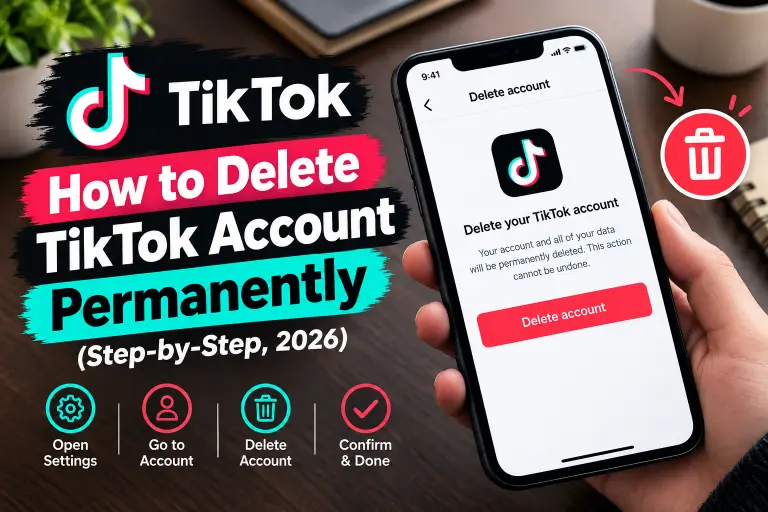
Quick Answer (TL;DR)
To delete your TikTok account, open the app and go to Profile → Menu (☰) → Settings and privacy → Account → Deactivate or delete account → Delete account permanently. Next, verify your identity and tap Delete account. TikTok hides your profile right away and erases it for good after 30 days. However, if you log in during those 30 days, the deletion stops.
The 6 taps in short:
- First, tap Profile, then the Menu (☰), then Settings and privacy.
- Next, tap Account.
- Then choose Deactivate or delete account.
- After that, select Delete account permanently.
- Now follow the prompts and verify your identity.
- Finally, tap Delete account, and then Delete.
Important: Don’t log in for 30 days, because logging in cancels the deletion.
Key Facts About Deleting TikTok
| Question | Answer |
|---|---|
| Where is the option? | Settings and privacy → Account → Deactivate or delete account |
| Works on | iPhone, Android, and the TikTok website on a laptop or computer |
| Is it instant? | No. TikTok hides your profile now, but full deletion takes 30 days |
| Can I skip the 30 days? | No. The waiting period is mandatory |
| Can I undo it? | Yes, within 30 days, if you log back in |
| Can I undo it after 30 days? | No. TikTok erases the account for good |
| Do I need a password? | You need to verify your identity with a password, a code, or your sign-in method |
| Do I lose my coins and gifts? | Yes, so use or cancel them first |
| Easier alternative | Deactivate (temporary and fully reversible) |
How Do I Delete My TikTok Account on iPhone or Android?
The steps stay the same on both phones. Honestly, the whole thing takes about a minute.
- First, open TikTok and tap Profile at the bottom right.
- Next, tap the Menu (☰) at the top right.
- Then choose Settings and privacy.
- After that, tap Account.
- Select Deactivate or delete account at the bottom of the page.
- Now tap Delete account permanently.
- Pick a reason for leaving, or tap Skip.
- Afterward, request your data download, or tick the box to continue without one, and tap Continue.
- Read the summary of what you’ll lose, and then tap Continue again.
- Enter your password or the verification code that TikTok sends you.
- Finally, tap Delete account, and then tap Delete to confirm.
After you confirm, TikTok logs you out and hides your profile, videos, and comments. Meanwhile, your 30-day countdown starts at that moment.
Menu looks different? Labels change slightly between app versions. For example, some versions show Manage account instead of Account. In that case, look for Delete account on that screen. Either way, the flow stays the same.
How Do I Delete My TikTok Account on a Laptop or Computer?
You can delete your account from any browser, so a laptop works fine.
- First, go to tiktok.com and log in.
- Next, click your profile picture at the top right.
- Then click Settings.
- After that, open Manage account, which some layouts call Account.
- Now click Deactivate or delete account, and choose Delete account permanently.
- Verify your identity when TikTok asks.
- Finally, confirm with Delete account.
If the option doesn’t show up, switch to the phone app. Also, use the app if you only want to deactivate, because that option works best there.
Can I Delete My TikTok Account Without Waiting 30 Days?
No. TikTok’s 30-day deactivation period is mandatory, and no setting or trick skips it. The good news is that the wait feels shorter than it sounds. TikTok hides your profile as soon as you confirm, so nobody can see your videos during that time.
Want your content gone even sooner? Do these things before you start the deletion:
- First, delete the videos you don’t want anyone to see.
- Next, clear your bio and profile photo.
- Then switch the account to private.
- Finally, start the deletion, and stay logged out afterward.
Once you request deletion, don’t log in again. Otherwise, you cancel the whole process and start over.
Can I Delete My TikTok Account Without a Password?
Yes, in most cases. TikTok asks you to verify your identity, but a password isn’t the only way.
Your options:
- Use a code. First, choose the phone or email login option, and then TikTok sends you a verification code.
- Reset the password. Alternatively, tap Forgot password? on the login screen and follow the link or code that arrives.
- Use your sign-in method. Also, if you signed up with Google, Apple, or Facebook, use that same button to log in.
- Switch to email. Finally, if you lost your old phone number, verify with your email instead.
After you get in, follow the normal deletion steps above.
Can I Delete My TikTok Account Without Logging In?
Not through the app or website. TikTok needs you to log in, because that proves the account belongs to you. However, you still have a backup plan if you can’t get in at all.
First, try the password reset or code login described above. If neither works, contact TikTok support at support@tiktok.com. Include your username, your date of birth, and the email or phone number linked to the account. Support may ask you to verify your identity before they act. So keep your details ready, and expect a few days of back and forth.
How Do I Delete a TikTok Account I Created With Google?
Google login works just like any other login. First, on the login screen, tap Continue with Google, and then follow the same steps as above. TikTok may ask you to confirm through Google during the verification step.
Deleting TikTok doesn’t delete your Google account. Instead, it only removes the TikTok account. If you also want to cut the connection, review the third-party apps in your Google Account security settings after the 30 days pass. The same idea applies to Apple and Facebook logins.
What Should I Do Before Deleting My TikTok Account?
Run through this checklist first, because you can’t go back after 30 days.
Pre-deletion checklist
- ☐ First, download your data. Go to Settings and privacy → Account → Download your data, and request the categories you want. TikTok can take several days to prepare the file, and the link stays active for only a few days, so start early.
- ☐ Next, save your drafts. TikTok keeps drafts on your device, and the data download doesn’t include them.
- ☐ Also, post or save any videos you want to keep, such as memories or work content.
- ☐ Then spend or cancel your coins, gifts, and subscriptions. TikTok doesn’t refund virtual items after deletion.
- ☐ Likewise, switch any apps where you sign in with TikTok over to another login.
- ☐ In addition, keep access to your email or phone number, since you need one of them to verify the deletion.
- ☐ Finally, check for a linked TikTok Notes profile. Deleting TikTok deletes that profile too.
What Happens After I Delete My TikTok Account?
Here is the timeline.
| When | What happens |
|---|---|
| Day 0 | You confirm, TikTok logs you out, and your profile disappears from view |
| Days 1–30 | Deactivation period. If you log in, TikTok restores the account |
| Day 30 | TikTok erases the account permanently, and you can’t reverse it |
| After Day 30 | You can use the same email or phone number on a new account |
What TikTok removes
- Your profile and followers
- Videos and drafts
- Comments and likes
- Coins, gifts, and other virtual items
- Your linked TikTok Notes profile
What stays
- Messages you sent. However, copies can stay in other people’s chats.
- Videos that other people downloaded, shared, or reposted, because you can’t reach those copies.
- Your data download file, since it lives on your own device.
Can I keep my username? TikTok says you can reuse your email or phone number after the 30 days. Usernames work first come, first served, so someone else could claim yours. Don’t count on getting it back.
Should I Delete or Deactivate My TikTok Account?
Deactivate if you only want a break. But delete if you’re sure you’re done.
| Deactivate | Delete | |
|---|---|---|
| Profile visible? | Hidden | Hidden, then erased |
| Reversible? | Yes, anytime | Only within 30 days |
| How to come back | Log in and reactivate | Log in within 30 days |
| Videos and data | Stay safe | TikTok erases them after 30 days |
| Coins and gifts | Stay on the account | Gone for good |
| Best for | Breaks and digital detox | Leaving for good |
How to deactivate: Follow the same path (Settings and privacy → Account → Deactivate or delete account). Then choose Deactivate account instead, and enter your password.
What Mistakes Should I Avoid When Deleting TikTok?
- Uninstalling the app. Removing the app doesn’t delete your account. Instead, you must use the account settings.
- Logging in during the 30 days. Even one login cancels the deletion, and that includes opening the app on an old phone that still remembers you.
- Skipping the data download. Once the account disappears, your videos disappear with it.
- Forgetting drafts. Your data download leaves them out, so save them manually.
- Ignoring your coins. Otherwise, you lose any balance you leave behind.
- Deleting the wrong account. Before you start, check the username if you have several accounts.
- Expecting instant results. The 30-day wait is part of the process, and nothing shortens it.
Why Can’t I Delete My TikTok Account? (Troubleshooting)
| Problem | Fix |
|---|---|
| Can’t find the delete option | Update the app, or use tiktok.com in a browser |
| Menu says “Manage account” | Tap it, then look for Delete account |
| Verification code doesn’t arrive | Check the number, wait a few minutes, or switch to email |
| Password doesn’t work | Reset it with Forgot password? or log in with a code |
| You lost your old phone number | Verify with your email instead |
| You can’t log in at all | Contact TikTok support at support@tiktok.com |
| Deletion stopped by itself | You logged in during the 30 days. Start again and stay logged out |
| Google login fails | Try Continue with Google again, or reset your TikTok password by email |
Are There Alternatives to Deleting TikTok?
If you want less TikTok but aren’t ready to quit, try these options:
- Deactivate for a temporary break.
- Switch to a private account to control who sees your videos.
- Instead, delete old videos, but keep the account.
- Also, turn off notifications, so the app stops pulling you back.
- Alternatively, set a daily screen time limit in your settings.
- Finally, take the app off your home screen for a week and see how it feels.
Frequently Asked Questions
How do I delete my TikTok account permanently?
Go to Settings and privacy → Account → Deactivate or delete account, choose Delete account permanently, and verify your identity. After 30 days without a login, TikTok erases the account for good.
How do I delete my TikTok account on mobile?
Open the app, tap Profile, then the Menu (☰), and follow Settings and privacy → Account → Deactivate or delete account. Also, the steps work the same on iPhone and Android.
How do I delete my TikTok account on a laptop or computer?
Log in at tiktok.com, click your profile picture, and open Settings. Then choose Manage account, select Deactivate or delete account, and confirm.
Can I delete my TikTok account permanently without waiting 30 days?
No. The 30-day period is mandatory. However, TikTok hides your profile as soon as you confirm, so nobody sees your content while you wait.
How do I delete my TikTok account without a password?
Log in with a verification code, or reset your password with Forgot password. If you signed up with Google, Apple, or Facebook, use that same login instead.
Can I delete my TikTok account without logging in?
Not on your own. However, if you truly can’t get in, contact TikTok support with your username, birth date, and linked email or phone number. Support may ask you to verify your identity first.
How do I delete my TikTok account from Google?
If you signed up with Google, tap Continue with Google on the login screen, and then follow the normal deletion steps. However, deleting TikTok doesn’t touch your Google account.
How long does it take to delete a TikTok account?
It takes 30 days. First, TikTok hides your profile immediately, and then it erases the account for good when the period ends.
Can I recover my TikTok account after deleting it?
Yes, but only within 30 days. So simply open TikTok, log in, and choose to reactivate. After 30 days, nobody can recover it.
Will deleting TikTok remove my videos from Google?
Not right away. Google may still show your old profile until it updates its results. Meanwhile, you can ask Google to refresh outdated content if the page lingers.
What happens to my TikTok coins when I delete my account?
You lose them. Because TikTok doesn’t refund virtual items left on a deleted account, spend or cancel them first.
Is deactivating better than deleting?
Deactivating works better if you might return. On the other hand, deleting suits you if you want your data gone and you’re sure you won’t come back.
Ready to Leave TikTok? Your Next Steps
- First, download your data and save your drafts.
- Next, use or cancel your coins and subscriptions.
- Then follow the Settings and privacy steps above.
- Finally, stay logged out for 30 days.
Leaving other apps too? Browse more step-by-step account deletion guides for the platforms you want to leave.
Official help: TikTok Support: deleting an account

Alex Mu is a digital technology writer focused on Telegram, account management, online privacy, and app troubleshooting. Through clear, practical guides, Alex helps readers understand digital platforms, manage their accounts, and resolve common technical issues. His work emphasizes accurate information, simple explanations, and step-by-step solutions that readers can follow with confidence.


