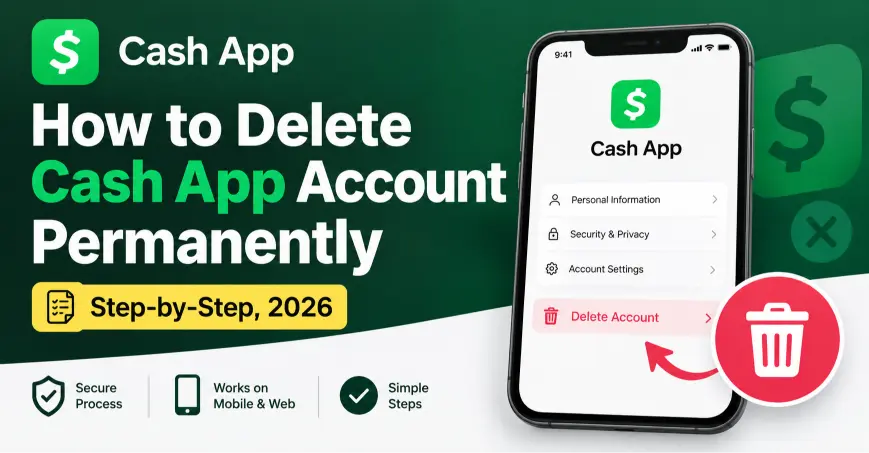
Quick Answer (TL;DR)
To delete your Cash App account, first clear your balance to zero and sell any stock or Bitcoin holdings. Then open the app, tap your profile icon, scroll down to Support, tap Account Settings, and choose Close Your Cash App Account. Confirm when the app asks, and Cash App usually closes the account right away. However, full deactivation on Cash App’s servers can take up to 10 business days.
The 4 steps in short:
- First, cash out your balance and sell any investments.
- Next, tap your profile icon, then Support.
- Then tap Account Settings → Close Your Cash App Account.
- Finally, tap Confirm to finish.
Important: You can only close a Cash App account from the mobile app. The website lets you export data, but it won’t close the account for you.
Key Facts About Deleting Cash App
| Question | Answer |
|---|---|
| Where is the option? | Profile icon → Support → Account Settings → Close Your Cash App Account |
| Works on | The Cash App mobile app only, not cash.app on a browser |
| Do I need a $0 balance first? | Yes, positive or negative, the balance must reach zero |
| Can I close with stocks or Bitcoin still held? | No. Sell or transfer them out first |
| Is deletion instant? | Usually yes, but full server-side deactivation can take up to 10 business days |
| Can I undo it? | No. Closure is permanent, and support can’t reverse it |
| Does uninstalling the app close my account? | No. You must close the account inside the app first |
| What happens to my Cashtag? | It becomes available immediately for anyone else to claim |
| Can I keep my transaction history? | No, unless you export it before you close the account |
How Do I Delete My Cash App Account on iPhone or Android?
The steps stay the same on both phones, since Cash App uses one app design across platforms.
- First, open the app and tap the profile icon in the top-right corner.
- Next, scroll down and tap Support.
- Then tap Account Settings.
- Scroll to the bottom, and tap Close Your Cash App Account.
- Read the warning Cash App shows you.
- Finally, tap Confirm to close the account.
If Cash App blocks the request, it usually means you still have a balance, an open investment, or a pending transaction. Clear those first, and try again.
Menu looks different? Cash App updates its layout from time to time. If you don’t see Account Settings under Support, look for a Close My Cash App Account link near the bottom of the same Support page instead.
Can I Delete My Cash App Account and Make a New One?
Yes. Closing your account doesn’t ban you from Cash App itself, so you’re free to sign up again. However, a new account needs its own phone number or email, since Cash App won’t let you reuse the old login on a closed account. You’ll also get a brand-new Cashtag, because your old one becomes available for someone else to claim once you close the account.
If you’re switching for a fresh start: Export your transaction history first, since a new account starts with no record of your past activity.
How Do I Delete My Cash App Account Permanently?
Closing the account through Support already removes it permanently, so there’s no separate “permanent” version of the process. Cash App doesn’t offer a temporary pause or deactivation option, unlike some social apps. Once you confirm the closure, the account, your Cashtag, and your saved payment methods disappear from Cash App’s active system for good.
Want your data gone as well? Export your statements and transaction history before you close the account, because Cash App deletes that history along with the account itself.
How Do I Delete My Cash App Account With a Negative Balance?
Cash App won’t close an account that owes money, so you need to settle the balance first.
- First, open Banking or tap your balance on the home screen.
- Next, add funds using a linked debit card or bank transfer to bring the balance to zero.
- Then wait a few minutes for the balance to update.
- Finally, follow the normal closure steps above.
Can’t clear the balance right away? Contact Cash App support through the in-app chat, explain your situation, and ask about your options. Support can sometimes offer guidance, but they generally still require a zero balance before they close the account.
How Do I Delete My Cash App Account With Money Still On It?
Cash App also blocks closure if you still have a positive balance, so move your money out first.
- First, tap your balance on the home screen.
- Next, tap Cash Out.
- Then choose Standard, which is free and takes one to three business days, or Instant, which charges a small fee for immediate transfer.
- Confirm the transfer to your linked bank account or debit card.
- Finally, once your balance shows zero, follow the closure steps above.
Have Bitcoin or stock holdings too? Sell them, or transfer Bitcoin to an external wallet, before you try to close the account. Cash App treats those as part of your balance, so it blocks closure until they’re cleared as well.
What Should I Do Before Deleting My Cash App Account?
Run through this checklist first, because closure removes your data permanently.
Pre-deletion checklist
- ☐ First, cash out your full balance to your bank account or debit card.
- ☐ Next, sell any stocks, and sell or transfer out any Bitcoin.
- ☐ Also, cancel pending transactions, scheduled payments, and recurring subscriptions billed through Cash App.
- ☐ Then export your transaction history and tax documents. Log in at cash.app/account on a browser to download statements.
- ☐ Likewise, resolve any open disputes, since Cash App won’t close an account with an unresolved case.
- ☐ In addition, update anyone who sends you money regularly, since they’ll need a new way to pay you.
- ☐ Finally, remove your Cash Card from your wallet or destroy it once the account closes.
What Happens After I Delete My Cash App Account?
Here is what changes once Cash App confirms the closure.
| What | Result |
|---|---|
| Your account access | Ends immediately, and you can’t log back in |
| Your Cashtag | Becomes available right away for anyone else to claim |
| Pending or scheduled transactions | Get cancelled automatically |
| Your transaction history | Deleted from Cash App’s active system |
| Full server-side deactivation | Can take up to 10 business days behind the scenes |
| Reopening the same account | Not possible. You’d need a brand-new account instead |
What happens if someone sends money to my old Cashtag? Since Cash App frees the Cashtag for reuse, any payment sent there afterward goes to whoever claims that username next, not to you. Tell your contacts to remove your old Cashtag once you close the account.
Should I Close My Cash App Account or Just Stop Using It?
Cash App has no deactivation feature, so your only reversible option is simply stepping away.
| Stop Using It | Close the Account | |
|---|---|---|
| Reversible? | Yes, anytime | No, never |
| Your Cashtag | Stays yours | Released for others |
| Transaction history | Stays saved | Deleted |
| Balance | Stays as-is | Must reach zero first |
| Best for | A break, or keeping the option open | Leaving Cash App for good |
If privacy is your main concern rather than leaving completely, you can also turn off notifications, remove linked cards you no longer use, and review your privacy settings inside the app instead of closing the account outright.
What Mistakes Should I Avoid When Deleting Cash App?
- Uninstalling the app first. Removing the app from your phone doesn’t close your account. Close it inside the app before you delete anything.
- Forgetting your investments. Cash App blocks closure until you sell stocks and clear out Bitcoin holdings.
- Skipping the data export. Once you close the account, your transaction history and statements disappear with it.
- Leaving a negative balance. Cash App won’t close an account that still owes money, so settle it first.
- Assuming closure is temporary. There’s no pause option, so treat closure as final before you confirm.
- Not telling contacts. People who send you money regularly need a heads-up, since your Cashtag becomes available to others.
- Trying to close it from a browser. The website only lets you export data. You need the mobile app to actually close the account.
Why Can’t I Delete My Cash App Account? (Troubleshooting)
| Problem | Fix |
|---|---|
| The Close Account option is missing | Update the app, or look under Support → Account Settings, since Cash App changes the menu location occasionally |
| “You have a balance” error | Cash out your funds, or add money to clear a negative balance, then try again |
| Investment holdings block closure | Sell your stocks, and sell or transfer out any Bitcoin |
| A pending transaction blocks closure | Wait for it to complete or cancel it, and then retry |
| An unresolved dispute blocks closure | Resolve the case with Cash App support first |
| The app won’t respond | Restart your phone, or update Cash App to the latest version |
| You can’t reach the closure option at all | Contact Cash App support through the in-app chat, or through cash.app/help, and ask them to close the account manually |
| Closure seems stuck after confirming | Wait, since full deactivation can take up to 10 business days behind the scenes |
Are There Alternatives to Deleting Cash App?
If you want less exposure without losing the account for good, try these instead:
- Remove linked cards or bank accounts you no longer use.
- Turn off notifications for the app.
- Set your profile to private under Privacy settings, if that option applies to your account type.
- Cash out your balance regularly, so less money sits in the app at once.
- Switch a business account to personal instead of closing it entirely.
- Simply stop using the app, and revisit the decision later.
Frequently Asked Questions
How do I delete my Cash App account permanently?
Cash out your balance, sell any investments, then go to Profile → Support → Account Settings → Close Your Cash App Account, and confirm. Cash App removes the account for good, and support can’t reverse it.
How do I delete my Cash App account and make a new one?
Close the current account first, then sign up again with a different phone number or email. You’ll get a new Cashtag, since your old one becomes available to other users.
How do I delete my Cash App account on my phone?
Open the app, tap your profile icon, then Support, then Account Settings, and tap Close Your Cash App Account. The steps work the same on iPhone and Android.
How do I delete my Cash App account with a negative balance?
Add funds through a linked card or bank transfer until the balance reaches zero. Cash App won’t close an account that still owes money.
How do I delete my Cash App account with money on it?
Tap your balance, choose Cash Out, and transfer the funds to your bank account or card. Once your balance shows zero, follow the normal closure steps.
Can I delete my Cash App account on iPhone specifically?
Yes. The process is identical on iPhone and Android, since Cash App uses the same app layout on both.
Can I delete my Cash App account on Android specifically?
Yes, using the same steps as iPhone. Open the app, go to Profile → Support → Account Settings, and tap Close Your Cash App Account.
What happens to my transaction history after I delete my Cash App account?
Cash App deletes it along with the account. Export your statements at cash.app/account before you close the account if you want to keep a record.
Can I recover my Cash App account after deleting it?
No. Closure is permanent, and neither you nor Cash App support can reopen the same account afterward.
Does deleting the Cash App from my phone close my account?
No. Uninstalling the app only removes it from your device. You need to close the account through Support before you delete anything from your phone.
What happens to my Cashtag after I close my account?
It becomes available immediately, and anyone else can claim it. If people still send money to your old Cashtag, that money goes to whoever registers it next.
Do I need a zero balance to delete a Cash App account in 2026?
Yes. This requirement hasn’t changed, so you still need to cash out your balance and clear any negative amount before Cash App lets you close the account.
Ready to Close Your Cash App Account? Your Next Steps
- First, cash out your balance and sell any investments.
- Next, export your transaction history and cancel pending payments.
- Then follow the Support → Account Settings steps above.
- Finally, tell contacts who pay you regularly, since your Cashtag will become available to others.

Alex Mu is a digital technology writer focused on Telegram, account management, online privacy, and app troubleshooting. Through clear, practical guides, Alex helps readers understand digital platforms, manage their accounts, and resolve common technical issues. His work emphasizes accurate information, simple explanations, and step-by-step solutions that readers can follow with confidence.


