Quick Answer (TL;DR)
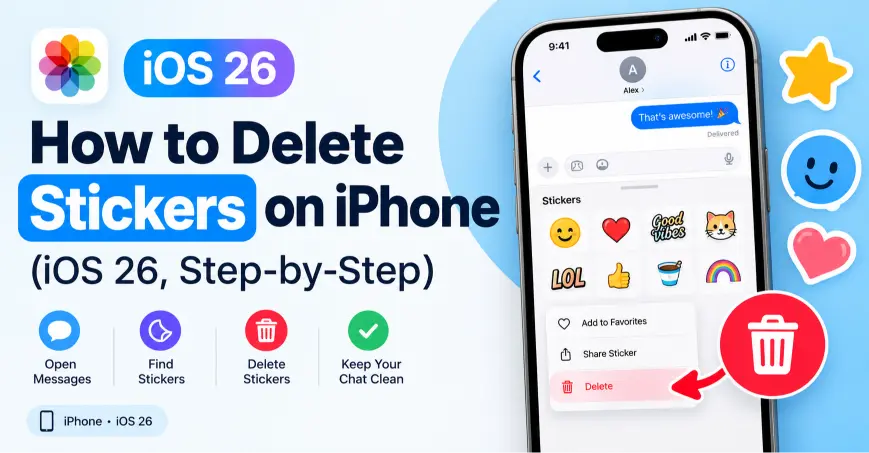
To delete a sticker on iPhone, open Messages → the + button → Stickers, switch away from the Recent tab, then touch and hold the sticker you want to remove. Tap Delete when the menu appears. To remove a whole sticker pack instead, tap Edit at the bottom of the Stickers drawer, tap the red minus (–) next to the pack, and confirm Delete. The steps work the same way in iOS 17, iOS 18, and iOS 26.
The 4 taps in short:
- First, open Messages and tap the + button.
- Next, tap Stickers, and switch off the Recent tab.
- Then touch and hold the sticker, without dragging it.
- Finally, tap Delete on the menu that appears.
Note: You can’t delete a sticker from the Recent tab directly. Delete it from its own tab instead, and it disappears from Recent too.
Key Facts About Deleting Stickers on iPhone
| Question | Answer |
|---|---|
| Where do I delete a sticker? | Messages → + → Stickers → touch and hold → Delete |
| Where do I remove a whole pack? | Stickers drawer → Edit → tap the minus (–) next to the pack |
| Can I delete Genmoji stickers? | Yes, the same way as custom stickers, from the Stickers drawer |
| Can I delete built-in Memoji stickers? | No, but you can delete a custom Memoji character itself |
| Does this remove stickers from WhatsApp too? | No. WhatsApp, Messenger, and Instagram each manage their stickers separately |
| Can I turn off stickers completely? | Yes, under Settings → General → Keyboard |
| Does hiding a pack delete it? | No. Hiding keeps it installed but off the drawer. Deleting removes it |
| Can I remove a sticker someone sent me? | Only from your own view. The other person still sees it |
How Do I Delete Custom Stickers in Messages or iMessage?
Custom stickers usually come from photos, Live Photos, or subjects you lifted out of an image. Here’s how to remove them.
- First, open the Messages app.
- Next, tap the + button next to the text field.
- Then tap Stickers.
- Make sure you’re on your custom stickers tab, not Recent, since you can’t delete from there.
- Now touch and hold the sticker you want to remove, without dragging it.
- Lift your finger, and a menu pops up.
- Finally, tap Delete.
Menu didn’t appear? Try again without moving your finger while you hold it down. A small drag registers as a move instead of a long-press.
Want to clear several at once? Touch and hold any sticker, and choose Rearrange from the menu. Every sticker gets a small minus (–) badge. Tap the badge on each one you want gone, and then tap the background to save and exit.
How Do I Delete a Sticker From a Message Bubble or Photo?
Sometimes a sticker sits on top of a message bubble or a photo, rather than living in the drawer. Removing it there only affects your own view, because the other person keeps their copy.
- First, open the conversation in Messages.
- Next, press and hold the message bubble or photo that has the sticker on it.
- Then tap More on the menu.
- Open Sticker Details.
- Finally, tap Delete Message to remove it from your side.
Menu doesn’t show Sticker Details? Long-press the message bubble itself, rather than the sticker sitting on top of it.
How Do I Delete Stickers on the Keyboard or Emoji Keyboard?
The emoji keyboard shows the same sticker drawer that Messages uses, so you can manage it from almost any app.
- First, open the keyboard in any app.
- Next, tap the emoji icon at the bottom.
- Then tap the Stickers icon next to it.
- Switch away from the Recent tab.
- Touch and hold the sticker you want to remove.
- Finally, tap Delete once the menu appears.
Want the sticker sidebar gone completely? Go to Settings → General → Keyboard, and turn off the Stickers toggle. Your emoji keyboard then goes back to standard emoji only, with no sticker panel.
How Do I Delete Genmoji (AI Sticker) Emojis?
Genmoji lets you create custom AI stickers from a text prompt, and iOS 26 expanded the feature further. Deleting one works almost exactly like deleting a custom sticker.
- First, open Messages, and tap the + icon.
- Next, tap Stickers.
- Then find the Genmoji sticker, which sits alongside your custom photo stickers.
- Touch and hold it, and release without dragging.
- Finally, tap Delete.
Genmoji you create also syncs to your keyboard, so deleting it from Messages removes it from the emoji keyboard too.
How Do I Delete a Third-Party Sticker Pack?
Third-party packs usually come from the App Store, or bundle with apps such as Twitch or Reddit.
- First, open Messages, and tap the + button.
- Next, tap Stickers.
- Then scroll through the tabs at the bottom, and tap Edit.
- Tap the red minus (–) icon next to the pack you want to remove.
- Finally, tap Delete to confirm.
Deleting the pack removes it from the drawer, but leaves the app itself installed. To also delete the app, touch and hold its icon on your Home Screen, tap Remove App, and then Delete App. That step clears both the app and its stickers from your iPhone.
Prefer to keep the app but hide the pack? Toggle the pack off instead of deleting it. Toggling keeps it installed but out of the drawer, so you can bring it back later.
How Do I Delete Stickers on WhatsApp?
WhatsApp runs its own sticker system, separate from the iOS sticker drawer. Deleting a sticker in Messages won’t touch your WhatsApp stickers, so manage them from inside the app instead.
- First, open a chat in WhatsApp.
- Next, tap the sticker icon in the text field.
- Then tap the plus (+) icon to open the sticker store.
- Go to the My Stickers tab.
- Tap Edit, and delete the packs you no longer want.
Want to remove a single favorite instead of a whole pack? Long-press the sticker in the selector tray, and choose Remove from Favorites or Delete.
How Do I Delete Stickers on Messenger?
Messenger keeps its own sticker library too, so the steps differ slightly from Messages.
- First, open a chat in Messenger.
- Next, tap the sticker icon above the keyboard.
- Then tap the store icon, or your sticker tray settings, depending on your app version.
- Find the pack you want to remove, and tap Remove or the trash icon next to it.
If Messenger doesn’t show a delete option directly in the tray, open Settings inside Messenger → Stickers, and manage your packs from that list instead.
How Do I Delete Stickers on Instagram?
On Instagram, “stickers” usually means the interactive elements you added to a Story, such as polls, music, or location tags, rather than a sticker library like Messages has.
- First, open the Story you’re still editing, or create a new one.
- Next, tap the sticker on the screen.
- Then drag it to the trash icon that appears at the bottom, or tap it and choose Remove.
- If you already posted the Story, tap the sticker on the live post, and follow the same steps to delete or hide it.
Instagram doesn’t keep a separate saved sticker library the way Messages does, so there’s nothing extra to clear out afterward.
Why Can’t I Delete Stickers on My iPhone? (Troubleshooting)
| Problem | Fix |
|---|---|
| The Delete option doesn’t appear | Touch and hold without dragging, and release before the menu times out |
| I’m stuck on the Recent tab | Switch to the sticker’s own tab first, since Recent doesn’t allow direct deletion |
| The sticker pack won’t delete from Messages | Go to Settings → General → iPhone Storage, tap Messages, find the sticker app, and tap Delete App |
| Deleting a pack didn’t remove the app | Delete the pack from Messages, then separately remove the app from your Home Screen |
| WhatsApp or Messenger stickers still show after deleting in Messages | Delete them inside that app directly, since each app manages its own sticker library |
| Genmoji sticker won’t delete | Make sure you’re viewing it in the Stickers drawer, not just a message bubble, and try the long-press again |
| The sticker drawer feels frozen | Restart your iPhone, and reopen Messages |
| I removed a sticker but the other person still sees it | That’s expected. Deleting a sticker only affects your own view of the conversation |
Should I Delete or Just Hide a Sticker Pack?
Pick based on whether you might want the pack again later.
| Hide a Pack | Delete a Pack | |
|---|---|---|
| Stays installed? | Yes | No |
| Shows in the drawer? | No | No |
| Frees storage? | No | Yes, a little |
| Easy to bring back? | Yes, toggle it on again | No, you’d need to reinstall or recreate it |
| Best for | Packs you use occasionally | Packs you’re truly done with |
Frequently Asked Questions
How do I delete stickers on iPhone?
Open Messages, tap the + button, then Stickers, and switch away from the Recent tab. Touch and hold the sticker, and tap Delete when the menu appears.
How do I delete stickers on the iPhone keyboard?
Open the emoji keyboard in any app, tap the Stickers icon, switch off the Recent tab, and touch and hold the sticker you want to remove. Then tap Delete.
How do I delete stickers on WhatsApp?
Open a chat, tap the sticker icon, then the plus icon to reach the sticker store. Go to My Stickers, tap Edit, and delete the packs you no longer want.
How do I delete stickers in iMessage?
Follow the same steps as Messages, since iMessage uses the same Stickers drawer. Touch and hold a custom sticker and tap Delete, or use Edit to remove a whole pack.
How do I delete stickers on the emoji keyboard?
Tap the emoji icon on your keyboard, then the Stickers icon beside it. Touch and hold the sticker outside the Recent tab, and tap Delete.
How do I delete stickers on Messenger?
Open a chat in Messenger, tap the sticker icon, and open the sticker tray settings or store. Find the pack, and tap Remove or the trash icon next to it.
How do I delete stickers on Messages?
Tap the + button in a conversation, choose Stickers, and touch and hold the one you want gone. Tap Delete, or use Edit to remove an entire pack at once.
How do I delete stickers on Instagram?
Open your Story, tap the sticker you added, and drag it to the trash icon, or tap it and choose Remove. Instagram doesn’t keep a separate sticker library to clean up afterward.
How do I delete stickers on iOS 26?
The steps stay the same as earlier versions. Open Messages, tap Stickers, and touch and hold the one you want to remove, then tap Delete.
Can I delete a sticker someone sent me in a message?
You can delete it from your own view through Sticker Details on the message bubble, but the other person keeps their copy of it.
Why can’t I delete a sticker pack from Messages?
Try Settings → General → iPhone Storage, tap Messages, find the sticker app in the list, and tap Delete App. This works when the in-app method doesn’t respond.
How do I turn off stickers on my iPhone completely?
Go to Settings → General → Keyboard, and turn off the Stickers toggle. Your keyboard then shows standard emoji only, without the sticker panel.
Ready to Clean Up Your Stickers? Your Next Steps
- First, open the Stickers drawer in Messages and remove packs you no longer use.
- Next, check WhatsApp, Messenger, and Instagram separately, since they don’t share your iOS sticker library.
- Then turn off the Stickers keyboard toggle if you want a simpler emoji keyboard.
- Finally, restart your iPhone if any deletion seems stuck.

Alex Mu is a digital technology writer focused on Telegram, account management, online privacy, and app troubleshooting. Through clear, practical guides, Alex helps readers understand digital platforms, manage their accounts, and resolve common technical issues. His work emphasizes accurate information, simple explanations, and step-by-step solutions that readers can follow with confidence.


