
Last Updated: May 2026
⚡ Quick Answer
You can delete your Telegram account without phone number access only if you still have an active Telegram session on any device. Open that session, visit my.telegram.org/deactivate in a browser, and use the confirmation code sent to your active Telegram app. If you have no active session and no number access, immediate deletion is not possible — but Telegram will auto-delete the account after extended inactivity.
📋 Key Facts
- Deletion without phone number access is possible only if an active Telegram session exists on any device
- Logging out of your last active session removes your only remaining way to delete the account
- Telegram confirmation codes go to the Telegram app — not via SMS — so an active session is critical
- Telegram support cannot bypass phone number verification for account deletion
- Telegram accounts are automatically deleted after 6 months of inactivity by default
- Reinstalling the Telegram app without an active session can permanently lock you out of management options
- Accounts tied to reassigned or expired numbers with no active session have very limited deletion options
Can You Delete a Telegram Account Without Access to the Phone Number?
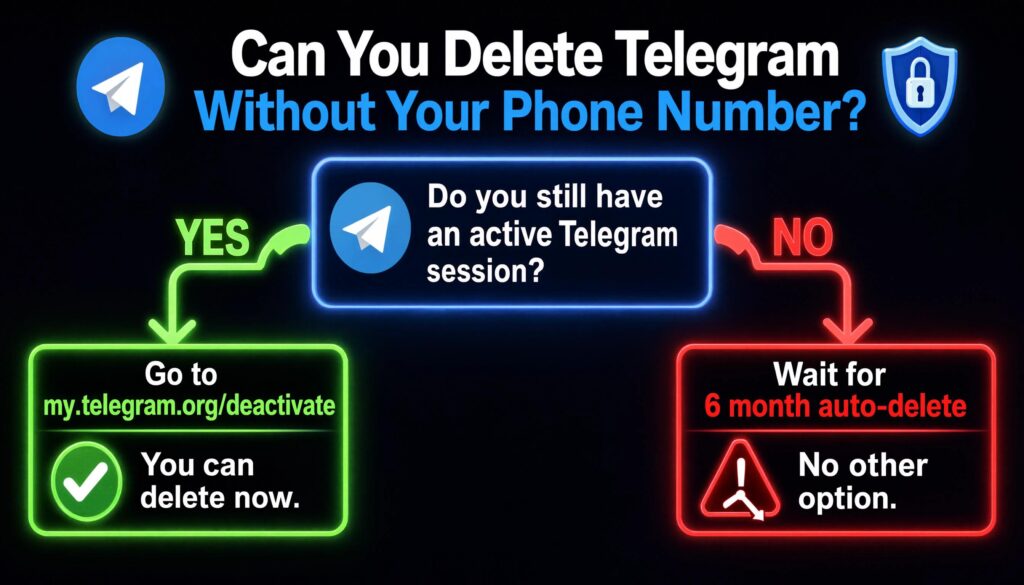
The direct answer is yes — but only under one specific condition. You must have at least one active Telegram session still running on a device you can access. Without that, your options become extremely limited.
The Short Answer
If you are still logged into Telegram on any phone, tablet, computer, or web browser — even one you have not used in months — you can use that session to delete your account. The confirmation code during deletion goes to the Telegram app on that active device, not to your phone number via SMS.
If you have zero active sessions and zero access to the original phone number, you cannot delete the account yourself right now. The account will eventually be deleted automatically by Telegram’s inactivity system, but you cannot force immediate deletion without some form of verified access.
Why Telegram Requires Number Ownership
Telegram uses phone numbers as the sole identity verification method. Unlike most platforms that offer email-based recovery, Telegram has no email login system. Your phone number is your username, your recovery method, and your proof of ownership — all in one.
This design prioritizes simplicity and speed of registration. The trade-off is that losing your number without maintaining active sessions creates a genuine access problem. Telegram cannot verify you are the account owner without the number or an existing authenticated session.
Situations Where Users Lose Access to Their Number
This problem is more common than most people realize. The most frequent causes include:
Changed carrier — switching mobile providers sometimes results in losing your old number if the transfer is not handled correctly or if the number is not ported.
Lost or stolen SIM card — a lost SIM with no replacement means the number may become inactive within days depending on your carrier’s policy.
Expired prepaid number — prepaid SIM cards expire after a period of inactivity. Many users discover their old Telegram number was a prepaid number that expired months ago.
International relocation — moving to another country and getting a local number often means the original number becomes inactive within weeks or months.
Number changed deliberately — users who change their phone number and forget to update Telegram before deactivating the old number lose access entirely.
How to Delete Telegram Account Without a Phone Number Using an Active Session
This is the most effective solution — and the one most users overlook entirely. If you have any active Telegram session anywhere, you still have a path to deletion without needing your phone number.
Check Whether You Are Still Logged In Anywhere
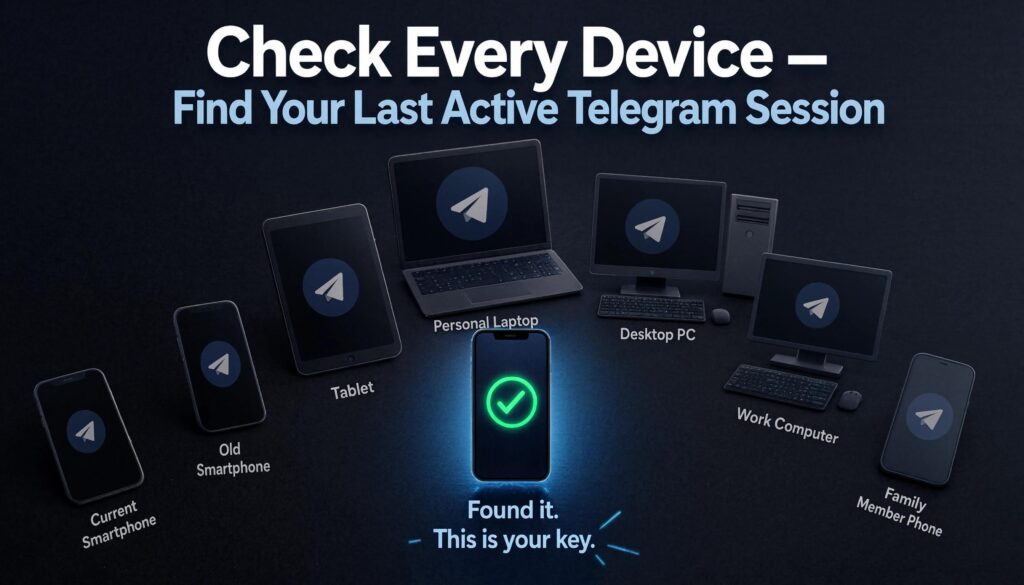
Before assuming you are locked out, check every device you own or have used in the past. Telegram sessions remain active for a very long time unless you explicitly log out.
Check these locations in this order:
- Your current smartphone — open the Telegram app and see if you are still logged in
- An old smartphone you may have switched from — check if Telegram is still installed and active
- A tablet — iPad or Android tablet where you may have logged in previously
- Your personal laptop or desktop — check if Telegram Desktop is installed and still logged in
- A work computer — some users log into Telegram on work machines and forget
- Telegram Web — open a browser and go to web.telegram.org — if your session is still active it will load your account automatically
- A family member’s device — if you ever logged in on someone else’s phone or computer
Finding even one active session changes everything. That single session is your key to managing and deleting the account.
Use the Active Session to Access Account Settings
Once you locate an active session, do not log out of it. Treat it as your most valuable asset for managing this account.
With the active session open:
- Open Telegram on the device with the active session
- Go to Settings
- Tap Privacy and Security
- Scroll to Active Sessions or Devices
- Review all other active sessions — note which devices are still connected
- Do not tap Terminate All Sessions — this would end your only access point
Keep this session active while you complete the deletion process.
Delete the Account Through the Official Telegram Deactivation Page
With your active session running on any device, follow these steps for permanent deletion:
- On the device with the active session, open any web browser — Chrome, Safari, Firefox, or Edge
- Navigate to my.telegram.org/deactivate
- Enter your Telegram phone number in international format — example: +12025551234 — even if you no longer have access to that number, you still need to enter it here
- Click Next
- Switch to your Telegram app on the same device or any other active device
- Find the confirmation code sent as a message from Telegram inside the app
- Enter that confirmation code on the deactivation page
- Read the final warning carefully
- Click Yes, delete my account
This works because the confirmation code goes to your Telegram app — not to your phone number via SMS. As long as the app is active on any device, you receive the code regardless of whether the original phone number still works.
Your account is permanently deleted immediately after confirmation.
What If You Lost the Number but Still Have Telegram on Your Phone?
This is a specific scenario that many guides miss entirely. You have the Telegram app on your current phone, you are still logged in, but the number linked to that account is no longer yours. This is actually the easiest version of this problem to solve.
Verify Existing Sessions Before Logging Out
Before doing anything else, confirm your session status. Open Telegram, go to Settings → Privacy and Security → Active Sessions. This shows every device currently logged into your account.
The most important rule: do not log out of your current device until you have completed deletion. Your current active session is your only connection to this account.
Why Reinstalling Telegram Can Be Risky
Many users instinctively try to fix Telegram problems by deleting and reinstalling the app. In this specific situation, reinstalling is dangerous.
When you uninstall Telegram from your device, you end the active session on that device. If it was your only active session and you no longer have the phone number, reinstalling will prompt you to log in with a phone number — and the verification code will go to a number you cannot access. You will be permanently locked out of account management.
Do not uninstall Telegram until after you have deleted the account through the official deactivation page.
Steps to Delete the Account Before Losing Access
If you currently have Telegram on your device and are still logged in but know the number will soon become inaccessible, act now. Do not wait.
- Open a browser on your device
- Go to my.telegram.org/deactivate
- Enter your phone number in international format
- Click Next
- Open your Telegram app — the confirmation code will appear as a message from Telegram
- Enter the code on the deactivation page
- Confirm deletion
Do this before the number expires or gets reassigned. Once you lose both the number and the active session simultaneously, your self-service deletion options close.
What If the Phone Number Is Permanently Gone?
If the number is completely gone and you have no active Telegram sessions anywhere, you are in the most difficult situation this guide covers. Here is an honest breakdown of each scenario.
When the Number Has Been Reassigned
If your old phone number has already been given to a new person by your carrier, attempting to use it for Telegram recovery creates a serious problem. Do not request a new Telegram verification code to the reassigned number. That code will go to whoever now owns the number — a complete stranger — and could give them access to your account.
In this situation, your options without an active session are extremely limited. Do not attempt phone number recovery through a number you no longer own.
When the SIM Card Has Expired
An expired prepaid SIM typically means the number is in a holding period before being released back to the carrier pool. Depending on your carrier and country, this period can last anywhere from 30 days to 6 months.
During this window, you may still be able to reactivate the SIM by contacting your carrier and paying any outstanding balance or reactivation fee. If you can reactivate the number even temporarily, you can use it to complete Telegram deletion.
Contact your carrier first and ask specifically about SIM reactivation before assuming the number is permanently gone.
When You Moved to a New Number
If you deliberately changed your phone number and your old number is now inactive, the path forward depends entirely on whether you have any active Telegram sessions remaining.
With an active session: Use the method described above — visit my.telegram.org/deactivate, enter the old number, receive the code in your Telegram app, and complete deletion.
Without any active session: You cannot force immediate deletion. The account will remain active until Telegram’s inactivity system removes it automatically.
Why Telegram May Prevent Immediate Deletion
Telegram’s deactivation page requires both a valid phone number entry AND a confirmation code delivered to an active session. If you can provide the phone number but have no active session to receive the code, the process stalls at the verification step.
This is a security feature, not a bug. Telegram prevents account deletion without verified ownership to protect users from having their accounts deleted by others. The same protection that makes your account secure is the barrier you face when ownership verification becomes difficult.
Can Telegram Support Delete the Account for You?
No — and understanding exactly why saves you significant time and frustration.
What Telegram Support Can Help With
Telegram support handles a limited range of issues. They can assist with reporting abuse, addressing harassment from other users, handling technical bugs in the app, and in some cases helping with account recovery when a phone number is still accessible.
What Telegram Support Cannot Do
Telegram support does not manually delete accounts on request. This is firm, consistent policy — not a case-by-case decision. Telegram support also cannot bypass phone number verification requirements, cannot restore deleted accounts, and cannot transfer account ownership to a different phone number on your behalf.
This is not unique to your situation. It applies to everyone. No amount of explanation, documentation, or escalation changes this policy.
Realistic Expectations for Lost-Number Cases
If you contact Telegram support about deleting an account you no longer have phone number access to, the response will direct you to my.telegram.org/deactivate and advise using an active session if one exists. If no active session exists, support will confirm that self-service deletion is not possible in that state.
The honest expectation: Telegram support is not a workaround for lost phone number access. Use every effort to locate an active session before concluding that deletion is impossible.
Alternative Ways to Remove Your Presence From Telegram
If deletion is not currently possible, these steps reduce your exposure and protect your privacy while you wait for the inactivity auto-deletion to occur.
Remove Profile Photo and Bio
If you have an active session, remove identifying information from your profile immediately.
- Open Telegram Settings
- Tap your profile name at the top
- Tap Edit
- Delete your bio
- Tap your profile photo
- Select Delete Photo
- Save changes
Your profile now shows no identifying information to other users.
Change Username Before Leaving
If your Telegram username is tied to your real identity or business:
- Go to Settings
- Tap Username
- Change it to something unrelated or delete it entirely by clearing the field
- Save changes
Removing your username means you cannot be found by username searches on Telegram.
Leave Groups and Channels
Reducing your presence across Telegram communities limits data exposure.
- Open each group or channel you are a member of
- Tap the group or channel name at the top
- Scroll to the bottom
- Tap Leave Group or Leave Channel
- Confirm
For groups you own — transfer ownership first using the steps covered earlier in this guide, or the group may become unmanageable after your account is eventually deleted.
Delete Sensitive Chats From Active Sessions
For any private conversations containing sensitive information:
- Open the chat
- Tap the contact name or chat name at the top
- Select Delete Chat
- Choose Delete for both sides if the option appears
- Confirm deletion
This removes the messages from both your account and the other person’s chat history for personal conversations.
Will Telegram Eventually Delete the Account Automatically?
Yes — and this is the realistic outcome for users who have no active session and no phone number access. Telegram’s inactivity system will eventually delete your account automatically.
How Telegram’s Auto-Delete System Works
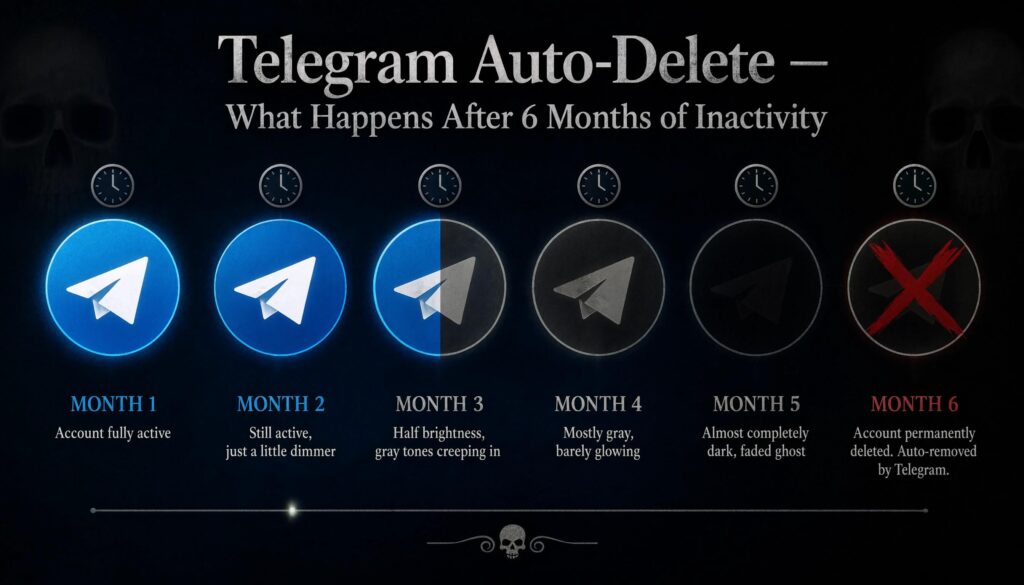
Telegram monitors account activity. An account is considered inactive when it has had no logins, no messages sent, and no app activity for an extended period. When the inactivity threshold is reached, Telegram automatically and permanently deletes the account — including all messages, media, groups, and data associated with it.
Default Inactivity Period Explained
Telegram’s default inactivity deletion period is 6 months. This means an account that has no activity for 6 consecutive months will be automatically deleted by Telegram.
Users who are still logged in can change this timer under Settings → Privacy and Security → If Away For. The available options are 1 week, 1 month, 6 months, and 1 year. If you never changed this setting, the default 6-month timer applies to your account.
Important: If your account was last active recently, you may need to wait the full 6 months from that last activity date before automatic deletion occurs. There is no way to accelerate this process from outside the account.
What Happens After Automatic Deletion
Once Telegram’s inactivity system deletes the account, the outcome is identical to manual deletion. All messages, media, profile information, and account data are permanently removed from Telegram’s servers. The phone number linked to the account is released and can be used to register a new Telegram account. Any groups or channels owned by the account that had no other admin may become permanently inaccessible.
Automatic deletion is permanent and irreversible — the same as manual deletion through the official page.
Common Mistakes People Make After Losing Their Phone Number
Avoiding these errors is critical. Some of them permanently close your remaining options.
Logging Out of the Last Active Session
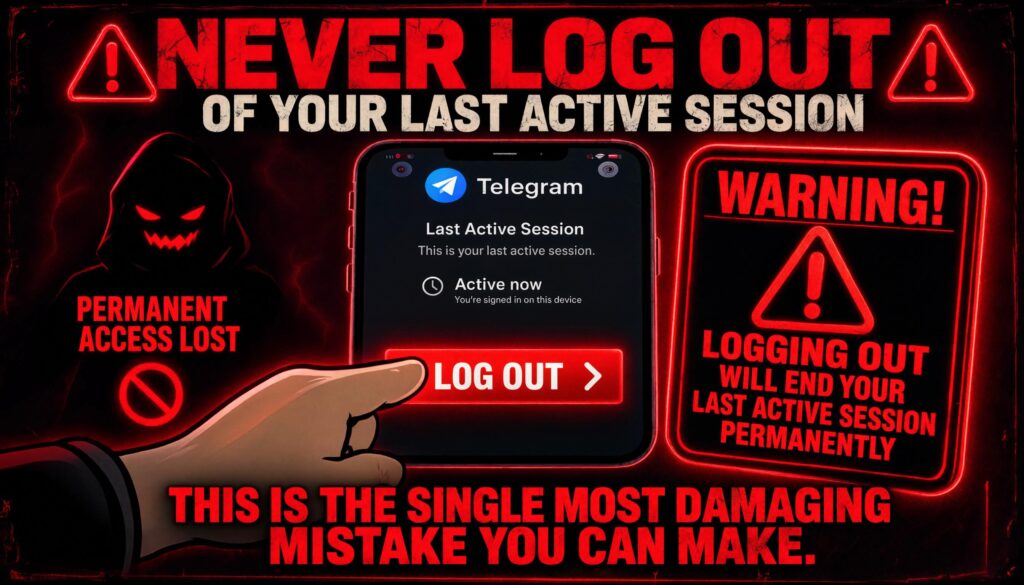
This is the single most damaging mistake you can make in this situation. If you have one active Telegram session remaining and you log out of it — either manually or by uninstalling the app — you lose your only remaining path to account management.
Before logging out of any device, ask yourself: is this my last active Telegram session? If yes, complete the deletion process first, then log out.
Reinstalling Telegram Too Early
As covered above, uninstalling Telegram ends the active session on that device. If it is your only session and you cannot receive verification codes through the phone number, reinstalling leaves you permanently locked out of self-service options.
Never reinstall Telegram on your only active session device until after account deletion is complete.
Ignoring Ownership Transfer for Channels
If you own Telegram channels or groups and you lose access to your account — whether through manual deletion or automatic inactivity deletion — those channels may become permanently unmanageable.
While you still have any active session, transfer ownership of all important channels to a trusted person. This protects communities you built regardless of what happens to your account.
Assuming Telegram Support Can Bypass Verification
Many users spend days or weeks submitting support tickets hoping for a manual deletion or account transfer. Telegram support will not bypass ownership verification. This time is better spent locating active sessions, attempting SIM reactivation, or taking the privacy reduction steps covered in this guide.
Before You Delete — Protect Your Groups, Channels, and Data

If you have located an active session and are preparing to delete, complete these steps first.
Transfer Channel Ownership
For every Telegram channel or group you own:
- Open the channel or group
- Tap the channel name at the top
- Tap Administrators
- Select the admin you want to make the new owner
- Tap Transfer Ownership
- Confirm with your two-step verification password
Complete this before deletion. Channels without an owner after account deletion become permanently uncontrollable.
Export Important Chats
Using Telegram Desktop on any computer where you are logged in:
- Open Telegram Desktop
- Go to Settings → Advanced → Export Telegram Data
- Select the chats and media you want to save
- Choose a save location
- Click Export
This creates a local copy of your messages and media before they are permanently deleted.
Save Critical Contacts
Before your account is deleted, go through your important contacts and save their phone numbers to your native phone contacts app. Once the account is deleted, Telegram contact connections are gone. If you only have someone’s Telegram username and not their actual number, find a way to get their contact information outside Telegram before you delete.
Frequently Asked Questions
Can I delete my Telegram account if I no longer have the phone number?
Yes — but only if you still have an active Telegram session on any device. Open that session, go to my.telegram.org/deactivate in a browser, enter your old phone number, and receive the confirmation code inside your Telegram app. Without any active session and without phone number access, self-service deletion is not currently possible.
What happens if my old Telegram number is no longer active?
If the number is inactive and you have no active Telegram sessions on any device, your only remaining option is Telegram’s automatic inactivity deletion system. Telegram deletes accounts after 6 months of inactivity by default. You cannot force immediate deletion from outside the account in this state.
Can Telegram support delete my account without number verification?
No. Telegram support does not manually delete accounts and cannot bypass ownership verification. The only official deletion method is through my.telegram.org/deactivate, which requires either phone number verification or an active session to receive the confirmation code.
Can I delete Telegram using only my email address?
No. Telegram accounts are tied exclusively to phone numbers — not email addresses. There is no email login or email-based account management system in Telegram. Your phone number is the only identity verification method the platform uses.
What if someone else now owns my old phone number?
Do not attempt to recover or verify your account through a number you no longer own. Requesting a verification code to a reassigned number sends that code to a stranger who could potentially access your account. Use any remaining active Telegram sessions instead and avoid the phone number recovery path entirely.
Will Telegram automatically delete my inactive account?
Yes. Telegram automatically deletes accounts after 6 months of inactivity by default. The timer can be set to 1 week, 1 month, 6 months, or 1 year in account settings. If you never changed the setting, the 6-month default applies. Once the threshold is reached, deletion is permanent and automatic.
Should I log out if I no longer have access to my number?
No — do not log out if it is your last active session. Logging out removes your only remaining ability to manage or delete the account. Keep the session active and use it to complete account deletion through my.telegram.org/deactivate before taking any logout action.
Conclusion
Losing access to your Telegram phone number makes account deletion harder — but it does not always make it impossible. The key is finding an active session. Check every device you own, every computer you have used, and even Telegram Web before concluding that no session exists. One active login anywhere is all you need to complete deletion through my.telegram.org/deactivate.
If no active session exists and the number is permanently gone, accept the honest reality. Telegram support cannot help, and there is no backdoor method. The account will be automatically deleted after 6 months of inactivity. In the meantime, use whatever sessions remain to remove your profile information, leave groups, delete sensitive chats, and transfer channel ownership.
The most important rule in this entire situation: do not log out of your last active session until deletion is complete. That session is your only key. Protect it until the account is gone.
DeleteAccount.com is not affiliated with Telegram. This guide is for informational purposes only. Steps may vary slightly depending on your app version.

Alex Mu is a digital technology writer focused on Telegram, account management, online privacy, and app troubleshooting. Through clear, practical guides, Alex helps readers understand digital platforms, manage their accounts, and resolve common technical issues. His work emphasizes accurate information, simple explanations, and step-by-step solutions that readers can follow with confidence.


