Last updated: November 2026
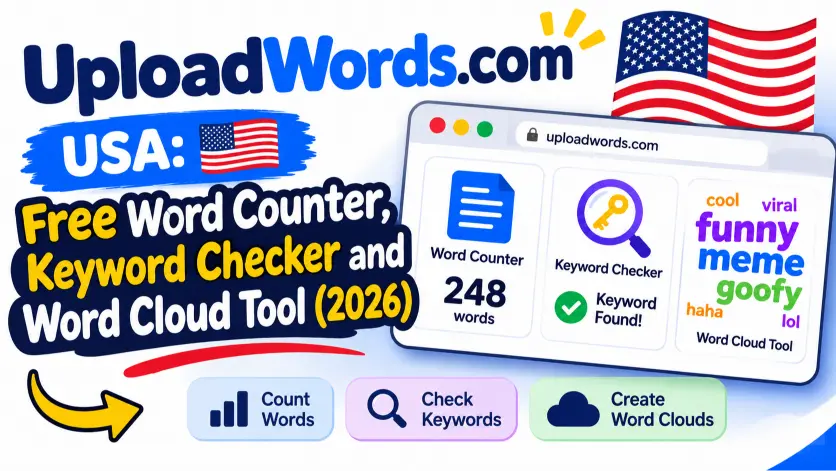
Quick Answer: UploadWords.com USA is the same free text analyzer used across the United States, not a separate American version. You paste text or upload a .TXT file. The tool returns a word count, a character count, a top keywords list and a downloadable word cloud. No signup is required, and you can test the privacy claim yourself in under two minutes.
Search for “uploadwords.com USA” and you will find posts describing three different products. Some call it cloud storage. Others call it an AI writer or a tech news site. This guide sticks to what the live tool page shows, so you know exactly what you get before you paste a single word.
Key Facts About UploadWords.com
| Detail | What the live site shows (checked November 5, 2026) |
|---|---|
| Tool type | Free text analyzer |
| Separate US version | No. One site serves every visitor |
| Account needed | No signup |
| Input options | Pasted text or a .TXT file up to 4 MB |
| Settings | Remove stopwords toggle and minimum word length |
| Output | Word count, character count, top keywords, word cloud |
| Export | Copy Results button and word cloud PNG download |
| Not included | Grammar checks, readability scores, search volume, DOCX or PDF upload |

What Is UploadWords.com USA?
UploadWords.com USA is a free, browser-based text analyzer that counts words and characters, ranks your most-used words and draws a word cloud. The “USA” part is simply how American searchers phrase the query. They want to confirm the tool works from the United States and costs nothing.
The site describes itself as made for students, writers, bloggers and SEO marketers. Typical jobs include checking an essay length, cleaning up a blog draft and spotting overused words before you publish.
Is There a Separate UploadWords.com for the United States?
No. UploadWords.com has one tool page that works the same way for every visitor. The site shows no region selector, no US-only build and no country-based pricing. The page language is set to American English, which is why US visitors see familiar spelling and wording.
If you see a “USA” version advertised elsewhere, treat it as a search phrase, not a product.
What Can You Do With UploadWords.com?
The tool covers five jobs: counting words, counting characters, ranking keywords, drawing a word cloud and exporting results. Here is each feature and the best use for it.
| Feature | What it does | Best use |
|---|---|---|
| Word count | Totals the words in your text | Essay and article length checks |
| Character count | Totals the characters | Social posts, titles and meta text |
| Top keywords | Lists your most frequent words with counts | Spotting repetition and topic focus |
| Remove stopwords | Hides filler words such as “the” and “and” | Seeing real topic words |
| Min word length | Ignores words shorter than your setting | Cutting short filler fast |
| Word cloud | Draws common words larger | Quick visual theme check |
| Copy Results / Download PNG | Exports your findings | Reports and editorial notes |
| .TXT upload | Loads a plain text file up to 4 MB | Longer drafts saved as text |
How Do You Use UploadWords.com Step by Step?
You can analyze any text in about 30 seconds by pasting it into the tool and clicking Analyze. Follow these steps on desktop or mobile.
- Open the tool page at uploadwords.com/upload-words. You can also click Use Tool Free on the homepage.
- Choose Paste Text and paste your draft. To use a file instead, choose Upload File and select a .TXT file under 4 MB.
- Tick Remove stopwords if you want the keyword list to show topic words only.
- Set a Min word length. A setting of 4 removes most short filler words.
- Click Analyze.
- Read the Words and Characters totals first.
- Scan the Top Keywords table. Each row shows a word and how many times it appears.
- Check the Word Cloud. Large words are the ones your draft leans on most.
- Click Copy Results to paste the numbers elsewhere, or Download PNG to save the cloud.
Is UploadWords.com Safe for Private Text?
UploadWords.com says your text is not stored, but its own pages word the promise two ways, so verify it before pasting anything sensitive. The homepage and FAQ say your text is not stored or shared. The tool box says text is “processed securely and temporarily for analysis only.” Those two lines do not mean exactly the same thing.
You do not need to guess. Run this quick test with harmless sample text.
- Open the tool page.
- Open your browser’s developer tools. Press F12 on Windows or Option + Command + I on a Mac.
- Click the Network tab and clear the list.
- Paste a short sample paragraph and click Analyze.
- Look for new requests. A request that carries your pasted text means the text left your browser. No such request is a good sign.
Here is an even simpler check. Load the page, switch off your Wi-Fi, then click Analyze. If results still appear, the analysis runs inside your browser.
Never paste passwords, Social Security numbers, patient records or confidential client files into any free web tool. The pages we could review make no HIPAA statement. Do not treat UploadWords.com as a compliant tool for regulated data.

How Do You Read Keyword Results and Calculate Keyword Density?
The tool shows how many times each word appears, and you turn that into keyword density with one formula. Keyword density is the share of your text taken up by one word.
Keyword density (%) = (times the word appears ÷ total words) × 100
Here is a worked example. Your draft has 1,500 words, and your main keyword appears 21 times. That gives 21 ÷ 1,500 × 100 = 1.4%.
Google publishes no ideal percentage. Use density as a final check, not a target. Write for readers first, then use the list to catch problems.
| What you see | What it may mean | What to do |
|---|---|---|
| Your main keyword is missing from the top 10 | The draft drifts off topic | Add the keyword to headings and key paragraphs |
| One word appears far more than the rest | Repetition or stuffing | Swap in synonyms or rewrite sentences |
| Vague words rank high (“thing”, “really”) | Weak, filler-heavy writing | Replace them with specific nouns and verbs |
| Your brand name dominates | Overly promotional tone | Cut repeats and add useful detail |
The keyword table lists single words. For two-word phrases, press Ctrl + F (or Command + F on a Mac) in your editor and count matches by hand.
Which Settings Work Best for Common US Tasks?
Match the settings to the job, and always confirm the final count in the tool the recipient uses. This table covers the most common requests.
| Task | Settings | What to check |
|---|---|---|
| College application essay | Paste text, read Words | Stay under the 650-word Common App limit |
| Class paper with a word limit | Paste text, read Words | Compare with your professor’s counting rule |
| SEO blog draft | Stopwords on, min length 4 | Main keyword appears in the top 10 |
| Social media post | Read Characters | Standard X posts allow 280 characters |
| Page title and meta description | Read Characters | Aim for about 60 and 155 characters |
| Resume or cover letter | Stopwords on | Repeated verbs such as “managed” |
Does UploadWords.com Count Characters With or Without Spaces?
The tool shows one Characters figure and does not label whether spaces are included, so test it once. Paste the text “a b” and click Analyze. A result of 3 means spaces count. A result of 2 means they do not.
Run this test before you rely on the number for a strict limit. It takes ten seconds and removes the doubt.
Why Does the Word Count Differ From Microsoft Word or Google Docs?
Different programs follow different rules for hyphens, slashes, numbers and symbols, so small gaps are normal. A phrase like “well-known” may count as one word in one tool and two in another.
To avoid surprises, follow this order.
- Decide which counter your recipient will use.
- Run the final check in that tool.
- Leave a small buffer, about 2% under the limit.
- Remove stray double spaces and odd symbols before you count.
What Problems Can Happen on UploadWords.com, and How Do You Fix Them?
Most problems come from file type, file size or default settings, and each has a quick fix.
| Problem | Likely cause | Fix |
|---|---|---|
| Upload fails | File is not .TXT or is over 4 MB | Save as Plain Text, or paste the text instead |
| DOCX or PDF is rejected | Only .TXT is supported | Copy the text and paste it |
| Page slows on a huge file | Very large text | Split it into chapters and analyze each |
| Keyword list is full of “the” and “and” | Stopwords still on display | Tick Remove stopwords and raise the min length |
| Phrase counts are missing | Tool lists single words | Count phrases manually with Ctrl + F |
| Old results linger | Previous analysis still loaded | Refresh the page and paste again |
One more note. The homepage FAQ still says file uploads are “coming soon,” while the tool page lists .TXT upload. Test a small file first, and fall back on pasting if it fails.
How Does UploadWords.com Compare With Other Text Tools?
UploadWords.com wins on speed and simplicity, but full editors and SEO suites do far more. Pick the tool that fits the job.
| Feature | UploadWords.com | Word processor | SEO suite | Basic word counter |
|---|---|---|---|---|
| Cost | Free | Free or paid | Paid | Usually free |
| Account needed | No | Often | Yes | Usually no |
| Word and character count | Yes | Yes | Varies | Yes |
| Top keyword list | Yes | No | Yes, deeper | Sometimes |
| Word cloud | Yes | No | Rare | Rare |
| Grammar and readability | No | Yes | Some | Rarely |
| Search volume data | No | No | Yes | No |
| Accepted files | .TXT and pasted text | Many formats | Varies | Usually pasted text |
Where it falls short: it does not show sentence or paragraph counts, phrase frequencies or readability scores. It also cannot read DOCX or PDF files directly.
Is UploadWords.com Cloud Storage or an AI Writer?
No. Based on the site’s own tool page, UploadWords.com is a text analyzer, not a file host and not an AI writing tool. Some third-party posts describe encrypted storage, team plans, APIs or AI text generation. The live tool page shows none of that.
The site’s blog also carries general tech and SEO posts, which adds to the mix-up. Judge the product by the tool page itself. Do not upload files expecting a storage space or a share link.
Is UploadWords.com Legit?
UploadWords.com shows the basic trust signals you would expect, but it is a young site. The site lists About, Contact, Privacy Policy, Terms and Disclaimer pages. It also shows a support email and links to Facebook, LinkedIn and Trustpilot. Its earliest posts date to February 2026.
A new site has a short track record. Use it freely for public or low-risk drafts. Keep confidential material in offline tools you control.
Frequently Asked Questions
Is UploadWords.com USA free to use?
Yes. The site states the tool is completely free, with no signup. You can analyze text as often as you like.
Do I need an account to use UploadWords.com?
No. You open the tool page, paste your text and click Analyze. The site lists “no signup” as a core feature.
Does UploadWords.com store my text?
The site says no. It states that your text stays in your browser and is not saved or shared. Verify it with the network test above before you paste anything sensitive.
What file types can I upload to UploadWords.com?
Only plain text (.TXT) files up to 4 MB. For Word or PDF documents, copy the text and paste it into the box.
Can UploadWords.com check keyword density?
It shows how often each word appears, not a percentage. Divide that count by your total words and multiply by 100 to get density.
Does UploadWords.com work on a phone?
Yes. The site says the tool is mobile-friendly. Pasting works on any modern mobile browser.
Is UploadWords.com the same as a file-sharing site?
No. It analyzes text and does not host or share files. Posts that say otherwise do not match the live tool page.
Ready to Check Your Draft?
Open the tool at uploadwords.com/upload-words, paste your text and click Analyze. Run the offline privacy test first if your draft matters. Then use the top keywords list and word cloud to tighten your writing before you publish.
This guide is an independent overview and is not affiliated with UploadWords.com. Features and wording on the site can change, so check the tool page before relying on any detail.

Alex Mu is a digital technology writer focused on Telegram, account management, online privacy, and app troubleshooting. Through clear, practical guides, Alex helps readers understand digital platforms, manage their accounts, and resolve common technical issues. His work emphasizes accurate information, simple explanations, and step-by-step solutions that readers can follow with confidence.


