
Last Updated: 2026
Quick Answer: Telegram’s “Too many attempts, please try again later” message is a temporary cooldown, not a ban. It kicks in after repeated failed login attempts, wrong codes, or fast repeated actions like joining groups too quickly. Most lockouts clear on their own within a few hours to 24 hours — waiting is the only guaranteed fix, and retrying repeatedly during the cooldown can make it last longer.
Key Facts
- “Too Many Attempts” is a temporary cooldown, not a permanent ban on your account
- Most lockouts last anywhere from a few hours up to 24 hours, depending on how many failed attempts triggered it
- Retrying repeatedly during the cooldown period can extend it rather than clear it faster
- This error isn’t limited to logging in — it can also appear after rapid group joins or message sending
Seeing “Too many attempts, please try again later” on Telegram is jarring, especially if you’re in the middle of something important. The good news is that this message almost always means Telegram’s security system flagged unusual activity and applied a short-term cooldown — it’s not the same as being banned, and in nearly every case, your account and data are completely fine once the timer runs out.
This guide breaks down exactly what triggers this error, how long you’re likely to be locked out, and what actually helps versus what just makes the wait longer.
What Does Telegram’s “Too Many Attempts” Error Mean?
This error is a rate limit. Telegram’s system monitors for repeated failed actions in a short window — wrong login codes, wrong passwords, rapid-fire group joins, or a burst of messages sent too quickly — and temporarily blocks further attempts of that same action once a threshold is crossed.
It’s a defensive measure, not a punishment. Telegram uses it to stop brute-force login attempts, spam bots, and abusive automation, and the system can’t always tell the difference between a bad actor and a regular user who’s just fat-fingered their password three times in a row. Either way, the response is the same: a short, temporary lock.
This is different from a ban. A ban permanently blocks a phone number from the platform. “Too Many Attempts” resolves on its own with time.
What Triggers the “Too Many Attempts” Error?
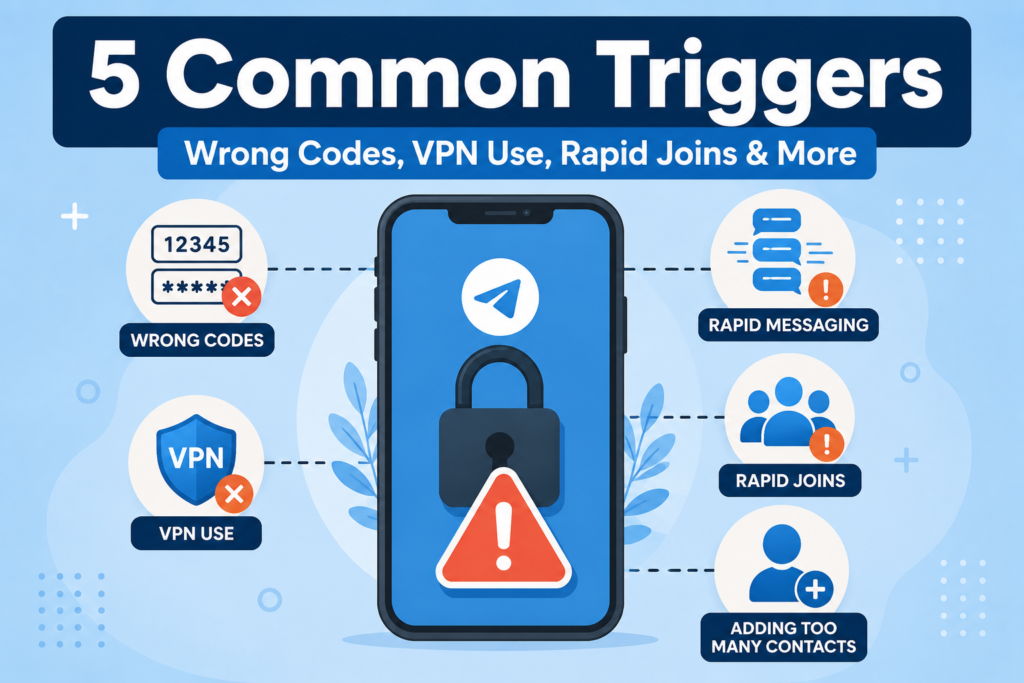
Several different actions can set this off, and it’s not always obvious which one caused it:
- Entering the wrong login code multiple times in a row while logging in
- Entering the wrong two-step verification password repeatedly (if you have it enabled, this article on enabling and disabling two-step verification covers how that password works)
- Requesting a new login code too many times in quick succession
- Joining multiple groups rapidly, especially through invite links
- Sending a high volume of messages in a short period, particularly to accounts you haven’t messaged before
- Using a VPN or proxy with an IP address that’s already been flagged for suspicious activity by other users
- Incorrect device date and time settings, which can interfere with how Telegram verifies login requests
Most people hit this error through the first two — a wrong code or password entered more than once while trying to log in on a new device.
How Long Does the Telegram “Too Many Attempts” Lockout Last?
Lockout duration isn’t fixed — it scales with how many failed attempts triggered it and how the system is currently weighing your account’s activity pattern. That said, the typical range looks like this:
- Light triggers (a couple of wrong codes): often clear within an hour or two
- Moderate triggers (several failed attempts, or repeated retries during an active cooldown): commonly extend to somewhere in the 12–24 hour range
- Heavy or repeated triggers: can occasionally stretch beyond 24 hours, especially if you kept retrying immediately after each failure
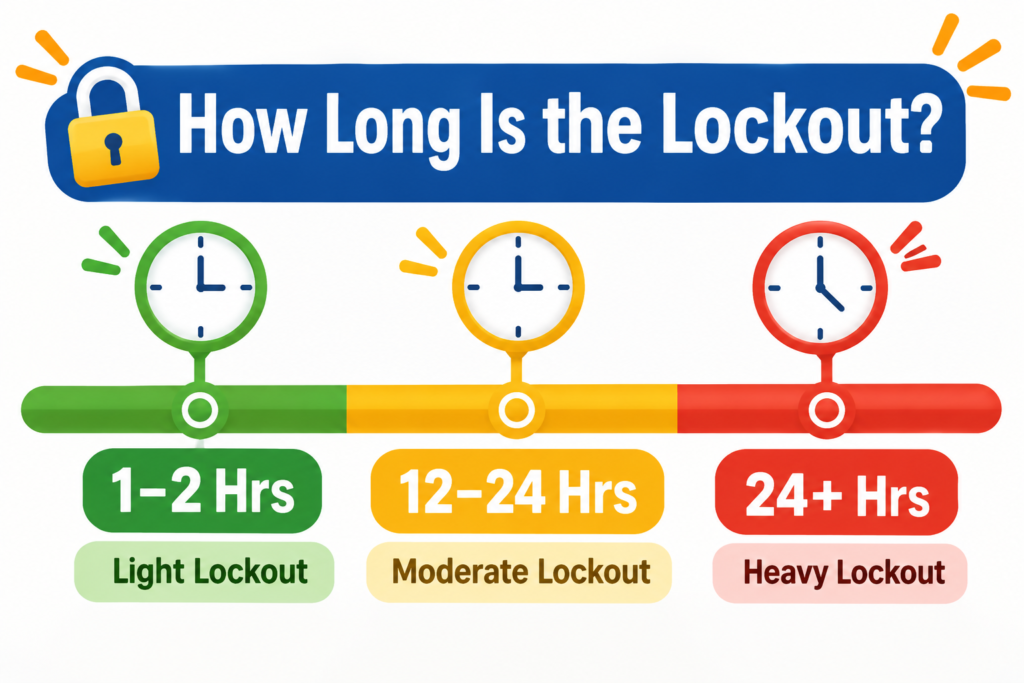
There’s no official published timer from Telegram, so treat these as realistic ranges based on common experience rather than guaranteed windows.
How Do I Fix the “Too Many Attempts” Error on Telegram?
There’s no way to bypass this lockout instantly, but these steps will get you back in as fast as realistically possible:
- Stop retrying immediately. Every additional failed attempt during an active cooldown can reset or extend the timer
- Double-check your phone number format, including the correct country code, before your next attempt
- Verify your two-step verification password carefully if you have it enabled, rather than guessing
- Disable any VPN or proxy you’re using — a flagged IP address can be part of what triggered the lock in the first place
- Check your device’s date and time settings and make sure they’re set to automatic rather than manual
- Wait at least a few hours before attempting to log in again, rather than checking every few minutes
- Try again after 24 hours if the shorter wait didn’t resolve it — this clears the vast majority of lockouts
Important: Don’t create a second Telegram account with a different number as a workaround unless you genuinely need access urgently. It doesn’t fix the underlying lockout on your original number, and switching between multiple accounts regularly can itself look like suspicious activity to Telegram’s systems.
Does Retrying Make the “Too Many Attempts” Error Worse?
Yes. This is the most common mistake people make, and it’s understandable — when you’re locked out, the instinct is to keep trying. But Telegram’s rate-limiting system reads repeated attempts during an active cooldown as continued suspicious behavior, which can push the lockout window further out rather than clearing it.
If you’ve just seen the error, the single best action is to close the app and leave it alone for a few hours. Checking back periodically is fine — repeatedly submitting login attempts is what extends things.
“Too Many Attempts” While Logging In vs. While Messaging or Joining Groups
The fix depends slightly on which version of the error you’re dealing with.
| Trigger | What Happened | Best Fix |
|---|---|---|
| Failed login attempts | Wrong code or password entered repeatedly | Wait it out; verify credentials carefully before next attempt |
| Rapid group joins | Joined several groups too quickly, often via links | Stop joining groups; wait several hours before trying again |
| Message flooding | Sent many messages in a short window, especially to new contacts | Slow down messaging pace; avoid mass outreach to unfamiliar accounts |
| Repeated code requests | Tapped “Resend code” multiple times quickly | Wait for the original code before requesting another |
The underlying mechanism is the same across all four — a temporary rate limit — but knowing which action triggered it helps you avoid repeating the same mistake once you’re back in.
How to Avoid Triggering This Error Again
A few habits make this error far less likely going forward:
- Double-check your phone number and password before submitting, rather than guessing and retrying
- Stick to one stable network and device when logging in, instead of switching between several in a short window
- Avoid joining a large number of groups back-to-back, especially through invite links from unfamiliar sources
- Space out messages to new contacts rather than sending in a rapid burst
- Keep your device’s date and time set to automatic
None of these guarantee you’ll never see the error again, but they remove the most common causes.
Frequently Asked Questions
Is “Too Many Attempts” the same as being banned from Telegram?
No. This error is a temporary cooldown that clears on its own, usually within a few hours to 24 hours. A ban is a separate, more serious action that permanently blocks a phone number from the platform.
Can I speed up the “Too Many Attempts” cooldown?
There’s no official way to shorten it. The most reliable approach is to stop retrying and wait — repeated attempts during the cooldown can extend it rather than clear it faster.
Why am I getting this error even though I entered my code correctly the first time?
The error can also trigger from requesting the code too many times in a row, using a flagged VPN IP address, or incorrect device date and time settings — not just from entering the code wrong.
Does switching devices bypass the “Too Many Attempts” lockout?
No. The lockout is tied to your account and phone number, not a specific device, so switching devices won’t get you back in any faster.
Can a VPN trigger the “Too Many Attempts” error?
Yes. Telegram’s anti-abuse system can flag shared or heavily-used VPN IP addresses, which can contribute to triggering this error even if your login details are correct.
Will Telegram support remove the lockout if I contact them?
Support can be worth reaching out to for unusual or extended lockouts, but this is a temporary automated cooldown rather than a manual restriction, so in most cases it resolves on its own faster than a support response would arrive.
If you’re seeing a message about your phone number being blocked entirely rather than a temporary “too many attempts” cooldown, that’s a different and more serious issue — see our guide on what to do when Telegram says your phone number is banned for next steps. And if the root cause turns out to be your two-step verification password, our complete guide to enabling and disabling it walks through resetting it safely.
DeleteAccountGuide.com is not affiliated with Telegram. This guide is for informational purposes only. Steps may vary slightly depending on your app version.

Alex Mu is a digital technology writer focused on Telegram, account management, online privacy, and app troubleshooting. Through clear, practical guides, Alex helps readers understand digital platforms, manage their accounts, and resolve common technical issues. His work emphasizes accurate information, simple explanations, and step-by-step solutions that readers can follow with confidence.


