Last Updated: May 2026
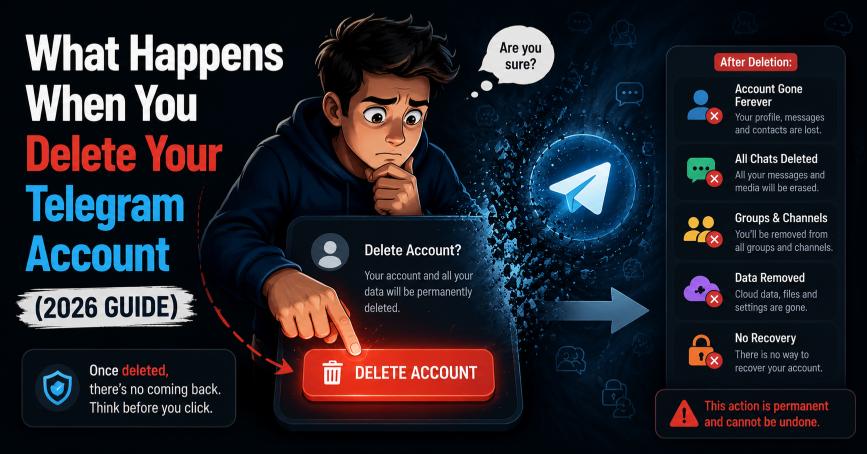
TL;DR Quick Answer: When you delete your Telegram account, your profile disappears immediately, all your private messages and cloud data are permanently erased from Telegram’s servers, and you are logged out of every device. Group messages you already sent may still appear to other members as “Deleted Account.” This action is permanent and cannot be reversed.
Key Facts
- Deletion is instant and permanent — Telegram removes your data from its servers immediately upon confirmation
- Your profile changes to “Deleted Account” for anyone who had you as a contact
- Private messages are deleted from your side — but messages you sent in groups may still be visible to other members
- Channels or groups you solely own may become permanently inaccessible if no other admin exists
- Telegram cloud storage (Saved Messages) is fully deleted — nothing is retrievable afterward
- You can create a new Telegram account with the same phone number, but no old data will carry over
- Uninstalling the app is not the same as deleting your account — your account stays active if you only uninstall
Deleting a Telegram account is a permanent action — but most users do not fully know what they are about to lose until after it is too late. Does your chat history disappear? What happens to the groups you run? Can your contacts still see your profile? These are real questions that deserve clear, complete answers.
This guide covers every consequence of Telegram account deletion in 2026, from the moment you confirm deletion through the lasting effects on your contacts, groups, messages, and media. Read this before you delete so you do not lose anything you cannot get back.
What Happens Immediately After You Delete Your Telegram Account?

The moment you confirm account deletion, three things happen simultaneously — your profile vanishes, you are logged out everywhere, and Telegram begins removing your data from its servers. The process is instant. There is no grace period and no undo button.
Your Telegram Profile Disappears
Every contact who had you saved in their Telegram will notice a change immediately. Your profile name, profile photo, username, and “last seen” status all disappear. In their contact list and chat history, your name is replaced with the label “Deleted Account.”
Your phone number also becomes dissociated from your Telegram identity. If someone searches for your number in Telegram after deletion, nothing will come up. You effectively cease to exist as a Telegram user from that moment forward.
You Are Logged Out From All Devices
Telegram terminates every active session the instant deletion is confirmed. This includes:
- Your primary smartphone (Android or iPhone)
- Any secondary phones or tablets with Telegram installed
- Telegram Desktop on PC or Mac
- Any active web.telegram.org browser sessions
- Any third-party Telegram clients linked to your account
Every device gets logged out simultaneously. If someone picks up any of those devices after deletion, they will find Telegram showing a login screen rather than your account.
Telegram Removes Your Data From Its Servers
Telegram processes the deletion server-side immediately. Your account data — including your profile information, Saved Messages, private chat history, and cloud-stored media — is removed from Telegram’s servers. This is not a soft delete or an archive. The data is gone.
Telegram does not retain deleted account information for recovery purposes. Their privacy policy confirms that once an account is deleted, the data is not kept on backup systems in a form that can be restored on request.
What Happens to Your Telegram Messages After Deletion?

What happens to your messages depends on where those messages were — private one-on-one chats, group conversations, or your personal Saved Messages folder. Each behaves differently after deletion.
Private Chats and Direct Messages
All private chat history on your side is permanently deleted. Every one-on-one conversation you had — text messages, voice messages, photos, videos, shared files, and stickers — disappears from your account entirely.
However, there is an important nuance: the person you were chatting with may still see the conversation on their side. Telegram does not delete messages from the recipient’s device or account when the sender deletes their account. The chat will appear in their app, but your name will show as “Deleted Account” and your profile photo will be gone.
This means your words may still exist on the other person’s device even after your account is deleted. If privacy is your primary reason for deleting, be aware of this limitation.
Group Messages You Sent Earlier
Messages you sent inside Telegram groups follow a similar pattern. Your messages remain visible to other group members after you delete your account. The message content stays in the group chat history, but the sender name changes from your display name to “Deleted Account.”
You are removed from the group’s member list immediately, but your message history within the group is not retroactively erased. Other members can still read, forward, or reply to messages you sent before deletion.
Forwarded Messages and Shared Media
If other users forwarded your messages to different chats or channels, those forwarded copies remain intact. Telegram does not track down and delete forwarded content when the original sender’s account is deleted. Forwarded messages exist independently in the recipient’s chat history.
Similarly, if someone saved or downloaded any media you sent them before your deletion, those files remain on their device. Telegram cannot remove files that have already been downloaded to another person’s local storage.
Saved Messages and Cloud Storage
Your Saved Messages — Telegram’s personal cloud folder — is permanently and completely deleted. Any notes, links, files, photos, or content you stored there as a personal backup is gone the moment the account is deleted.
This catches many users off guard. Saved Messages is widely used as a personal cloud storage solution inside Telegram. Export anything stored there before deleting, using Telegram Desktop’s export feature, or it will be lost permanently.
What Happens to Telegram Groups and Channels You Own?
Your relationship with every group and channel you belong to ends at the moment of deletion — but the impact depends entirely on whether you were just a member or an owner. The consequences for groups you own can be severe and permanent.
Groups You Created
When you delete your account, you are automatically removed from every group you belong to, including groups you created. Your name disappears from the member list and from the admin list.
If your group has other admins or members with admin rights, the group continues operating normally without you. The remaining admins take over full control.
If you were the only admin of the group, the group enters a state where no one has administrative control. Regular members can still send messages in the group (if it is not a broadcast group), but no one can change settings, remove members, or manage the group. It becomes effectively unmanageable.
Telegram Channels Without Another Admin
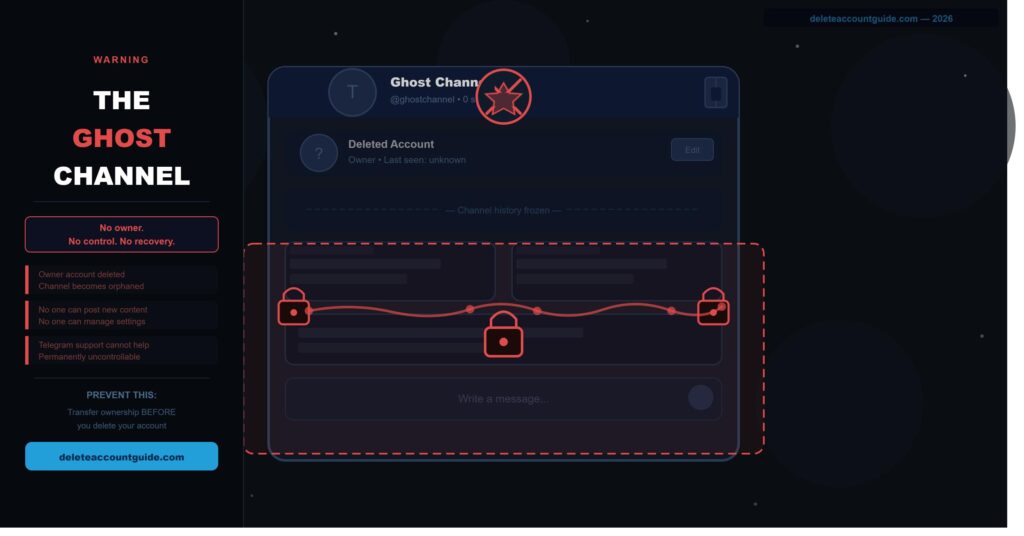
This is the most serious consequence for content creators and community managers. If you own a Telegram channel and there is no other admin assigned, the channel becomes a “ghost channel” after your account is deleted.
A ghost channel still exists in the system and subscribers may still be able to view old content, but:
- No one can post new content
- No one can change the channel name, description, or photo
- No one can add or remove subscribers
- The channel cannot be deleted by anyone
- Subscribers cannot leave through normal means if the channel is private
This is irreversible. Telegram support cannot transfer ownership of a channel after the owner’s account has been deleted. The only way to prevent this is to transfer ownership before deleting your account.
Groups Where You Are Only a Member
If you are simply a member of a group — not an admin or owner — your deletion has minimal impact on the group itself. You are quietly removed from the member list and your messages remain in the chat history under “Deleted Account.” The group continues functioning without any disruption.
How to Transfer Ownership Before Deleting
To protect your groups and channels, transfer ownership to a trusted member before deletion:
- Open the group or channel in Telegram.
- Tap the group or channel name at the top to open its profile.
- Go to Edit (the pencil icon) then Administrators.
- Tap on the member you want to transfer ownership to.
- Select Transfer Ownership.
- Confirm with your Telegram password or two-step verification code.
Do this for every group and channel you exclusively own before proceeding with account deletion.
What Happens to Your Telegram Contacts?
Your Telegram identity disappears from your contacts’ apps, but the underlying phone contact data on their devices is unaffected. Telegram and your phone’s contact book are separate systems.
Your Profile Disappears From Contacts
Anyone who had you as a Telegram contact will see your name replaced with “Deleted Account.” Your profile photo disappears, your username is removed, and your last seen status no longer shows. The chat thread remains in their app but looks like a conversation with a nameless, faceless deleted user.
They cannot initiate new messages to you — the chat input will be inactive or unavailable depending on their app version. You are effectively unreachable on Telegram after deletion.
Synced Phone Contacts and Username
Telegram syncs with your phone’s contact book to find people you know. When your account is deleted, your Telegram username and profile are removed from Telegram’s user directory entirely. No one can find you by searching your old username or phone number.
Your phone number itself is not deleted from anyone’s contact book — that data lives on their device, not in Telegram. But the connection between your phone number and a Telegram account no longer exists.
Can People Still Message You After Deletion?
No. Once your account is deleted, no one can send you new messages on Telegram. The chat thread may still appear in their app (showing old message history), but the ability to send new messages to your account is disabled. Any message they attempt to send will not be delivered and will likely show an error or simply fail silently depending on their app version.
What Happens to Photos, Videos, and Files?
Media deletion after a Telegram account removal depends on where the files were stored and whether other users have already downloaded them.
| Media Type | What Happens After Deletion |
|---|---|
| Saved Messages media | Permanently deleted from Telegram servers |
| Private chat media (your side) | Deleted from your account |
| Private chat media (recipient’s side) | May remain visible to the recipient |
| Group chat media | Remains in group history |
| Downloaded files on other devices | Not affected — stays on their device |
| Cached files on your devices | May linger briefly until cache clears |
Media Stored in Telegram Cloud
All media stored in your Telegram cloud — including everything in Saved Messages, profile photos, and files in your private chats — is permanently deleted from Telegram’s servers. There is no recovery option once this happens.
Telegram’s cloud is not like Google Drive or iCloud where data might be retained in a recovery bin. Deletion is final on the server side.
Files Downloaded by Other Users
Telegram cannot remove files that other users have already downloaded to their devices. If you sent someone a photo, video, or document and they downloaded it before your account was deleted, that file exists on their device independently of your Telegram account. Your deletion has no effect on it.
This is a fundamental limitation of how file sharing works — once a file is on someone else’s device, the original sender has no technical ability to remove it.
Cached Content on Devices
After your account is deleted, some content may temporarily persist as cached data on devices that previously had Telegram installed. This includes thumbnail images, recently viewed photos, and locally stored message data.
This cached content is not accessible through the Telegram app after deletion — the app session is terminated. But it may exist in the device’s file system temporarily until the operating system clears the cache or the user manually clears it. This is standard behavior for any app and is not specific to Telegram.
Can a Deleted Telegram Account Be Recovered?
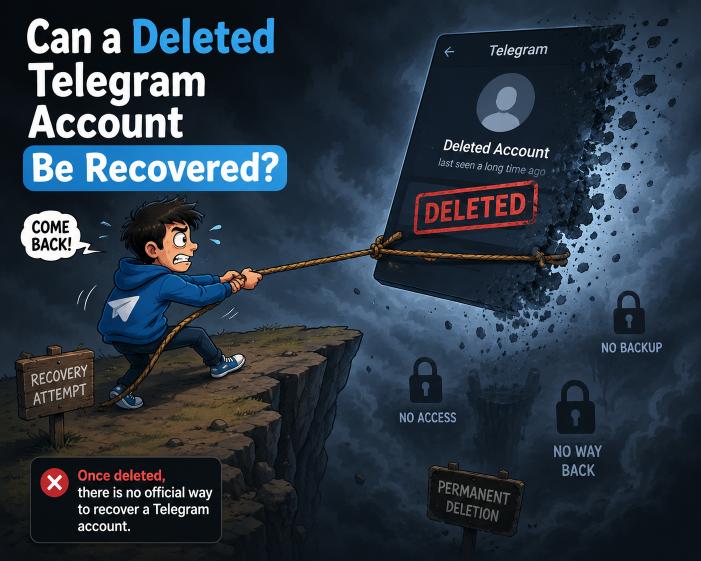
No. A deleted Telegram account cannot be recovered by the user or by Telegram support. This is one of the most important facts to understand before proceeding with deletion.
Why Telegram Deletion Is Permanent
Telegram’s deletion process is designed to be irreversible as a privacy feature. When you delete your account, Telegram does not retain your data in a recoverable state. There is no archive, no soft-delete period, and no recovery bin. The account and its associated data are removed from Telegram’s systems permanently.
This approach aligns with Telegram’s privacy-first policy. Keeping deleted data available for recovery would contradict the purpose of account deletion for users concerned about data privacy.
Can Telegram Support Restore the Account?
No. Telegram support explicitly cannot restore deleted accounts. This is not a policy that can be escalated or overridden. Support staff do not have tools to recover deleted account data because the data no longer exists in their system in a recoverable form.
If you contact Telegram support after deleting your account, they will confirm that nothing can be done. Do not delete your account hoping that support can reverse it if you change your mind.
Creating a New Account With the Same Number
You can create a brand-new Telegram account using the same phone number after deletion. The phone number itself is not blocklisted — it becomes available for a new registration once the old account is fully deleted.
However, the new account starts completely fresh:
- No chat history from the previous account
- No contacts carried over from the previous account
- No group or channel memberships restored
- No Saved Messages or cloud data recovered
- A completely new account with no connection to the old one
Anyone who tries to message your old account will not be automatically redirected to your new one. You would need to re-add contacts and re-join groups manually.
Important Things to Do Before Deleting Telegram
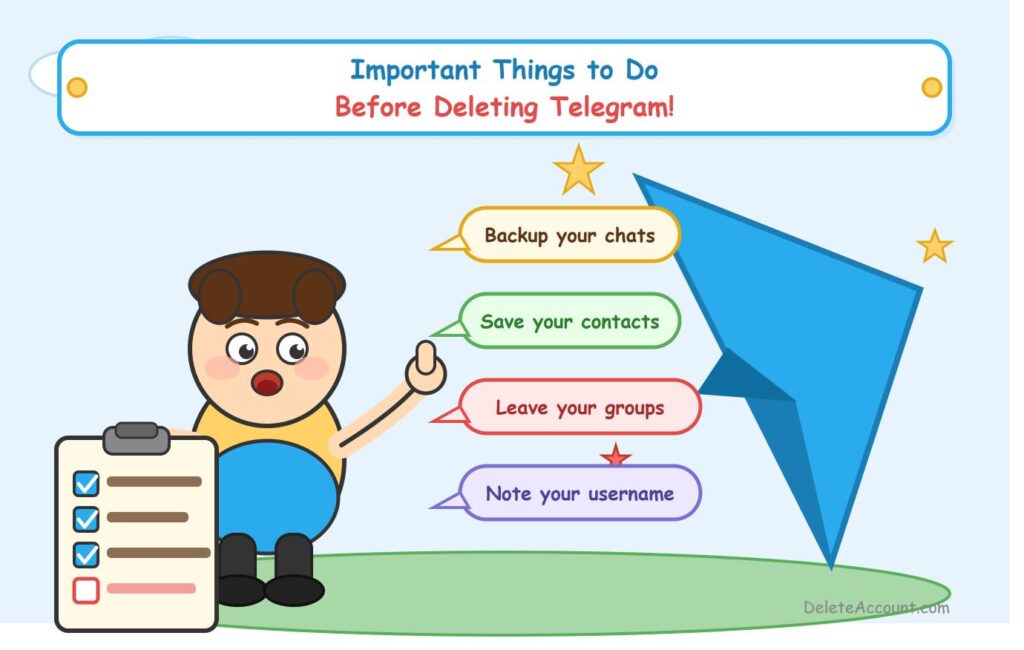
Taking 10 minutes to complete these steps before deletion can save you from permanently losing things that matter. These actions cannot be done after the account is deleted.
Export Important Chats and Files
Telegram Desktop (the PC or Mac app) lets you export your full chat history before deleting. This is the only official way to save a local copy of your conversations and media.
To export:
- Open Telegram Desktop on your PC or Mac.
- Click the three-line hamburger menu in the top-left corner.
- Go to Settings > Advanced > Export Telegram Data.
- Select the content you want to save: messages, photos, videos, voice messages, files.
- Choose your preferred format (HTML for readable files, JSON for data).
- Select a download location on your computer.
- Click Export and wait for the process to complete.
You cannot export chats from the Telegram mobile app — this feature is only available in Telegram Desktop. If you only use Telegram on your phone, install Telegram Desktop first, log in, and then run the export before deleting.
Save Important Contacts Outside Telegram
If your only record of certain contacts is through Telegram, save their information to your phone’s contact book or another app before deleting. Telegram contact associations are removed when you delete your account.
Your phone’s native contact book (synced to Google Contacts or iCloud) is not affected by Telegram deletion — but any contact that only exists inside Telegram will become unreachable once your account is gone.
Transfer Group or Channel Ownership
Transfer admin rights for every group and channel you own to a trusted person before deletion. Failing to do this can strand entire communities with no way to manage or recover them.
Refer to the ownership transfer steps in the Groups and Channels section above. Do this for every channel and group where you are the sole admin — not just the ones with the most subscribers.
Delete Telegram Account vs Uninstalling the App
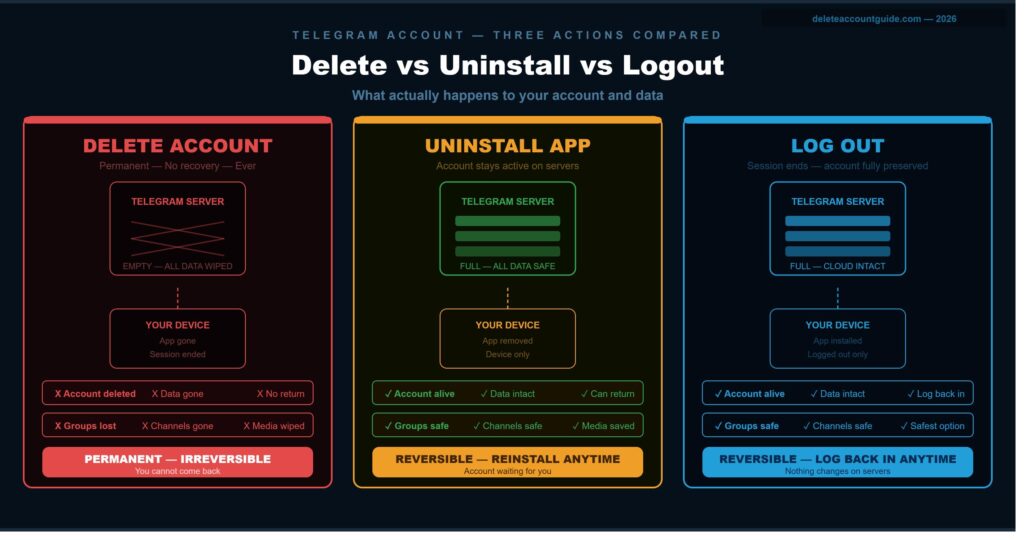
Uninstalling the Telegram app and deleting your Telegram account are completely different actions with very different outcomes. This is one of the most common misunderstandings users have.
| Action | Account Removed | Messages Deleted | Data on Servers | Can Return Later |
|---|---|---|---|---|
| Delete Telegram Account | Yes | Yes | No — all deleted | No |
| Uninstall Telegram App | No | No | Yes — all retained | Yes — just reinstall |
| Log Out of Telegram | No | No | Yes — all retained | Yes — just log back in |
When you uninstall the Telegram app, you are simply removing the application from your device. Your account stays active, your messages remain on Telegram’s servers, your groups and channels are untouched, and anyone can still send you messages. You can reinstall the app and log back in at any time with full access to everything.
Only using the official deletion page at my.telegram.org/deactivate actually deletes your account and removes your data from Telegram’s servers.
Situations Where You Should NOT Delete Telegram Immediately
If you are unsure about permanent deletion, Telegram offers several lighter alternatives that let you step back without losing everything. Consider these first.
Use the Auto-Delete Inactivity Timer
Telegram has a built-in self-destruct timer called “If Away For” that automatically deletes your account after a set period of inactivity. This is a good middle-ground option if you want the account removed eventually but are not ready to delete manually right now.
To set it:
- Open Telegram and go to Settings.
- Tap Privacy and Security.
- Scroll down to If Away For under the Delete My Account section.
- Choose from 1 week, 1 month, 6 months, or 1 year.
If you do not log in for the selected period, Telegram deletes the account automatically. The default is 6 months if you have never changed this setting.
Log Out Temporarily Instead
If you just need a break from Telegram without committing to permanent deletion, logging out is the safest option. Your account, messages, and groups are fully preserved.
Go to Settings and scroll to the bottom to find the Log Out option. You can also go to Settings > Privacy and Security > Active Sessions to remotely log out from specific devices while staying logged in on others.
Disable Notifications or Take a Break
If your issue with Telegram is notification overload or distraction rather than a genuine need to delete the account, muting notifications may be all you need.
Go to Settings > Notifications and Sounds and turn off all notification types. You can also mute specific chats by opening the chat, tapping the name at the top, and selecting Mute with a duration of your choice, including indefinite mute. This lets you ignore Telegram entirely without deleting anything.
Frequently Asked Questions
Do Telegram Messages Disappear After Deleting the Account?
Private messages linked to your account are removed immediately. Messages already sent to groups or other users may remain visible and appear under “Deleted Account.”
What Happens to My Telegram Groups If I Delete My Account?
You are removed from all groups instantly. If you own a group or channel, transfer ownership first to avoid management issues.
Will My Contacts Know I Deleted Telegram?
Yes. Your profile changes to “Deleted Account” and your profile photo, username, and other account details disappear.
Can I Recover My Telegram Account After Deleting It?
No. Telegram account deletion is permanent and cannot be reversed. You can only create a new account from scratch.
What Happens to My Telegram Photos and Videos?
Files stored in Telegram Cloud and Saved Messages are deleted. Media already downloaded by other users remains on their devices.
Can I Use the Same Phone Number Again After Deletion?
Yes. You can register a new Telegram account using the same phone number after deletion.
Is Uninstalling Telegram the Same as Deleting the Account?
No. Uninstalling only removes the app. Your account and data remain active until you delete the account through Telegram’s deactivation page.
Conclusion
Deleting your Telegram account is one of the most permanent actions you can take on the platform. Your profile disappears instantly, private chat data is erased from Telegram’s servers, and every device session is terminated at once. The consequences for groups and channels you own can affect entire communities if ownership is not transferred first.
The most important things to do before deleting: export your chat history using Telegram Desktop, transfer ownership of any channels or groups you run, and save contact information for people you only know through Telegram.
If you are not completely certain about permanent deletion, Telegram’s inactivity auto-delete timer or a simple log-out are safer temporary options that keep your data intact while you decide.
DeleteAccount.com is not affiliated with Telegram. This guide is for informational purposes only. Steps may vary slightly depending on your app version.

Alex Mu is a digital technology writer focused on Telegram, account management, online privacy, and app troubleshooting. Through clear, practical guides, Alex helps readers understand digital platforms, manage their accounts, and resolve common technical issues. His work emphasizes accurate information, simple explanations, and step-by-step solutions that readers can follow with confidence.


سلام