Last Updated: May 2026
TL;DR Quick Answer: The official Telegram delete account link is my.telegram.org/deactivate. Open it in any browser, enter your phone number in international format, confirm with the code sent inside the Telegram app, and your account will be permanently deleted. Deletion is irreversible — there is no recovery option once confirmed.
Meta Description: Learn how to use the official Telegram delete account link safely in 2026. Step-by-step guide for Android, iPhone, and PC users.
Key Facts
- The only official Telegram deletion page is my.telegram.org/deactivate
- Telegram sends the verification code inside the app, not via SMS in most cases
- Deletion is permanent — messages, media, groups, and contacts are all removed
- You can set Telegram to auto-delete your account after 1 week, 1 month, 6 months, or 1 year of inactivity
- There is no customer support recovery for a deleted Telegram account
- Uninstalling the Telegram app does not delete your account
Many users searching for the Telegram delete account link end up on fake third-party sites or outdated guides that lead nowhere. That puts your phone number and account at risk. The good news is that Telegram provides one single, official page to permanently delete your account — and this guide will walk you through exactly how to use it safely.
Whether you are on Android, iPhone, or a desktop browser, the process uses the same official URL. Follow the steps below and you will have your account deleted in under five minutes.
What Is the Official Telegram Delete Account Link?
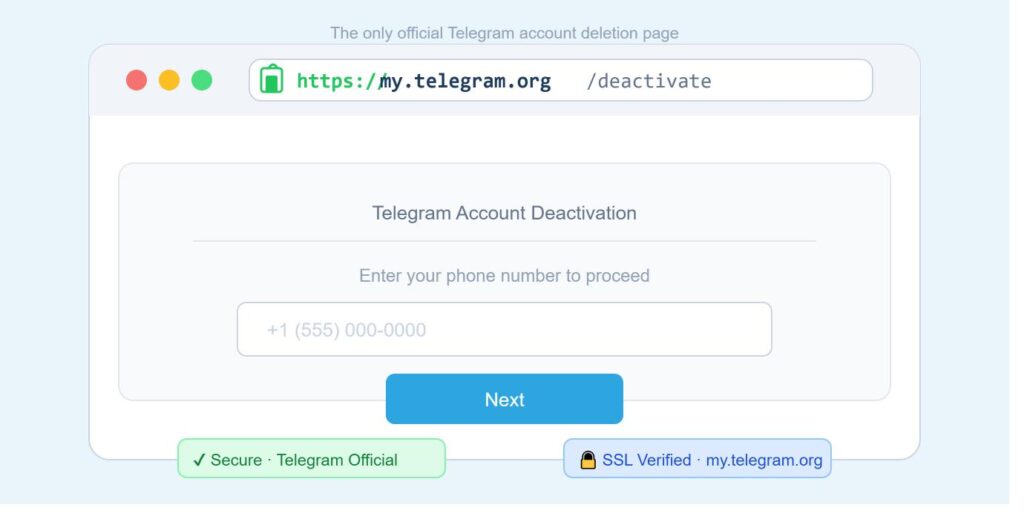
The official Telegram delete account link is my.telegram.org/deactivate — a web page hosted directly by Telegram to let users permanently remove their accounts from any browser.
The Real Telegram Deactivation URL
The exact official URL is:
https://my.telegram.org/deactivate
This is the only legitimate page for deleting a Telegram account online. Telegram does not offer deletion through any other website or third-party service.
Why does this page exist? Because Telegram is primarily an app with no traditional web dashboard. The my.telegram.org domain is Telegram’s official web portal for account management, including deletion, active session review, and API access. It has existed since Telegram’s early days and is maintained directly by Telegram.
Avoid any website that claims to delete your Telegram account for you. Sites asking for your password, payment, or login credentials are scams. The real Telegram deletion page only asks for your phone number and a one-time verification code — nothing else.
Is the Telegram Delete Link Safe to Use?
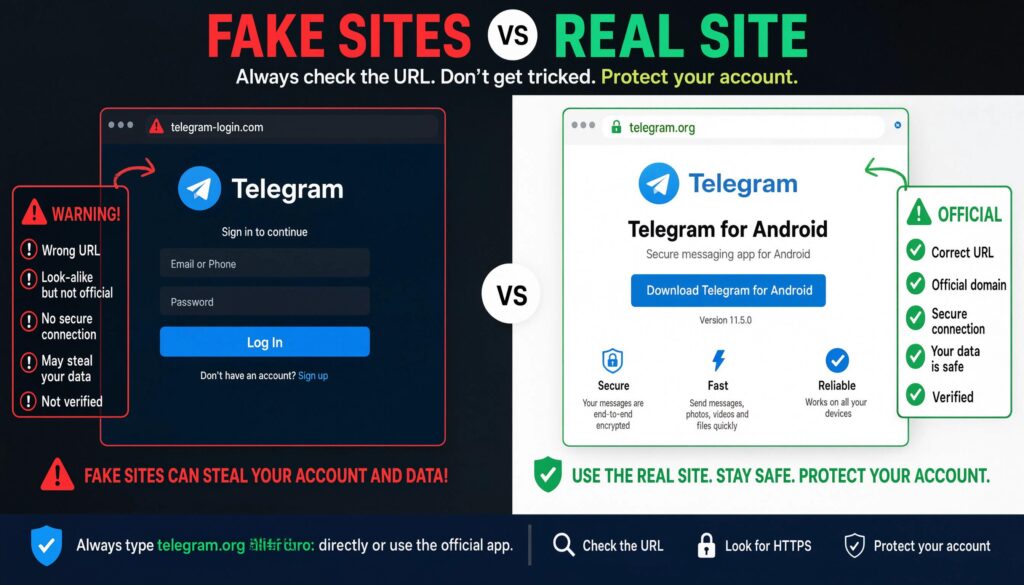
Yes. my.telegram.org is a fully secure, Telegram-owned domain. Here is how to verify you are on the real page before entering any information:
- The URL must begin with https:// (not http://)
- The domain must be exactly my.telegram.org — no variations, no subdomains like “telegram-delete.com” or “my-telegram.org”
- Your browser should show a padlock icon in the address bar, confirming an active SSL certificate
Telegram does not ask for your password on this page. If any site requests your password to delete your account, leave immediately.
How to Delete Telegram Account via Official Link (Step-by-Step)
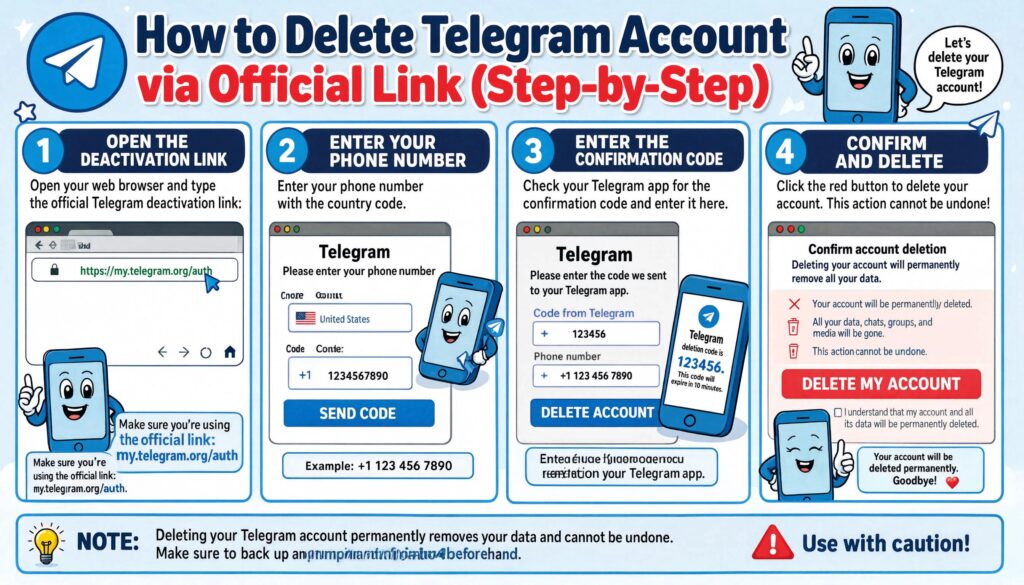
You can delete your Telegram account using the official link in four simple steps. This action is permanent and cannot be undone — make sure you are ready before completing the final confirmation.
⚠️ Warning: Deleting your Telegram account will permanently erase all your messages, media, contacts, groups, and channels. This cannot be recovered. Telegram support cannot restore a deleted account.
Step 1 — Open my.telegram.org/deactivate
- Open any browser on your phone or computer — Chrome, Safari, Firefox, or Edge all work.
- Type https://my.telegram.org/deactivate directly into the address bar.
- Press Enter. The page will load a simple form asking for your phone number.
Browser compatibility note: The page works on all modern browsers. If it does not load, try a different browser or disable any VPN you may be using (some VPN servers block Telegram-related domains in certain regions).
Step 2 — Enter Your Phone Number Correctly
- On the deactivation page, you will see a field labeled “Your Phone.”
- Enter your phone number in international format — this means including your country code before the number.
- Do not include spaces, dashes, or brackets.
Examples of correct international format:
| Country | Format | Example |
|---|---|---|
| United States | +1 followed by 10 digits | +12125550100 |
| United Kingdom | +44 followed by number | +447700900123 |
| Canada | +1 followed by 10 digits | +16135550199 |
| Australia | +61 followed by number | +61412345678 |
- Click the Next button once your number is entered.
Step 3 — Find the Telegram Confirmation Code
This is the step where most users get confused. Telegram does not always send the code via SMS. Instead, it sends the verification code as a message inside the Telegram app itself.
- After entering your phone number, a message will appear saying the code has been sent.
- Open the Telegram app on any device where you are currently logged in.
- Look for a new message from Telegram (the official account) containing a 5-digit verification code.
- Copy that code and return to the browser tab with my.telegram.org/deactivate.
- Enter the code in the verification field.
If you do not receive the code inside the app, check the following:
- Are you logged into Telegram on any active device? If not, Telegram may attempt SMS delivery instead.
- Check your SMS inbox if the app message does not arrive within 60 seconds.
- If you still get nothing, see the Common Problems section below.
Step 4 — Confirm Permanent Account Deletion
- After entering the code, you will reach the final confirmation screen.
- Read the warning carefully. Telegram will show you exactly what will be deleted: messages, media, contacts, and all group memberships.
- There may be an optional field asking why you are leaving — you can fill this in or leave it blank.
- Click the Delete My Account button.
Your account is now permanently deleted. Telegram will log you out of all devices immediately. All your data, messages, and group memberships are gone and cannot be recovered.
How to Use the Telegram Delete Account Link on Android, iPhone, and PC
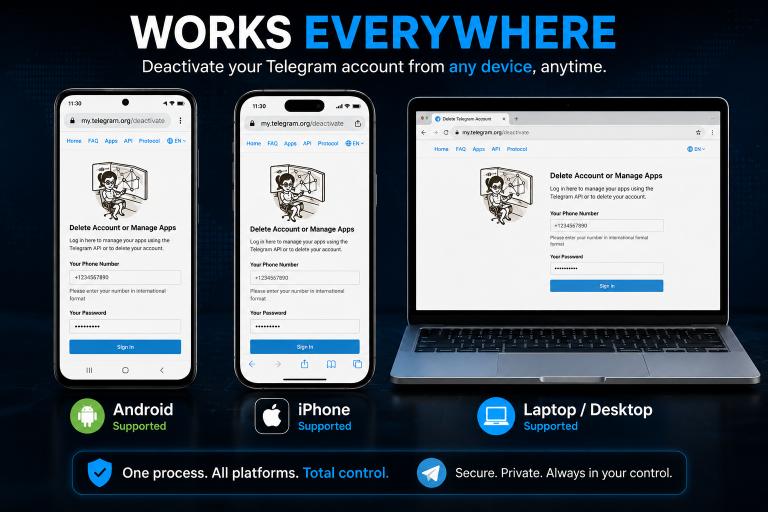
The deletion process is the same across all devices since it happens through a browser. Here are the device-specific details to make it easier on your platform.
| Device | Recommended Browser | Steps | Difficulty | Time Needed |
|---|---|---|---|---|
| Android | Chrome | 4 steps | Easy | 2 minutes |
| iPhone | Safari | 4 steps | Easy | 2 minutes |
| PC / Mac | Chrome, Firefox, Edge | 4 steps | Easy | 1 minute |
Delete Telegram Account on Android Using Chrome
- Open Google Chrome on your Android device.
- Tap the address bar and type https://my.telegram.org/deactivate.
- Enter your phone number in international format (include +1 for US numbers).
- Switch to the Telegram app to retrieve your verification code from the Telegram messages.
- Return to Chrome, enter the code, and confirm deletion.
Tip for Android users: Keep the Telegram app open in a split screen or a second tab so you can quickly switch between the browser and the app to copy your verification code.
Delete Telegram Account on iPhone Using Safari
- Open Safari on your iPhone.
- Navigate to https://my.telegram.org/deactivate.
- Enter your phone number with your country code (for example, +12125550100 for a US number).
- Open the Telegram app on your iPhone and check for the verification code in your messages.
- Return to Safari, enter the code, and tap Delete My Account on the confirmation screen.
Note for iPhone users: If Safari blocks the page or shows a certificate warning, try opening the link in Chrome for iOS instead. Also make sure you are not using Safari’s Private Browsing mode, as it can occasionally interfere with session-based pages.
Delete Telegram Account on PC or Mac Browser
- Open any browser — Chrome, Firefox, Edge, or Safari on Mac.
- Go to https://my.telegram.org/deactivate.
- Enter your phone number in the international format field.
- Telegram will send the code to the Telegram app on your mobile device.
- Check the Telegram app on your phone, copy the code, and enter it in the browser.
- Complete the final confirmation to delete the account.
Advantage of using PC: The larger screen makes it easier to read the confirmation warning in full before committing to deletion.
What Happens After Using the Telegram Delete Account Link?
After you click Delete My Account, Telegram immediately and permanently removes all your data. Here is exactly what is deleted and what to expect.
Messages, Media, and Contacts
All your private messages are permanently deleted from Telegram’s servers the moment you confirm deletion. This includes:
- All one-on-one chat messages you sent and received
- All photos, videos, voice messages, and files you shared in private chats
- Your saved contacts within Telegram
One important clarification: Messages you sent to group chats or channels may still appear to other members, but your name will be replaced with a “Deleted Account” label. Telegram cannot retroactively remove your messages from other people’s group histories.
Groups and Channels Ownership
If you are the sole admin of a Telegram group or channel, that group or channel becomes permanently inaccessible after you delete your account. No one will be able to manage or access it.
If you own channels or groups with subscribers or members, you should transfer ownership before deleting your account. See the “Important Things to Do Before Deleting” section below for how to do this.
Can You Recover a Deleted Telegram Account?
No. A deleted Telegram account cannot be recovered under any circumstances. Telegram’s own support team confirms this policy — once deletion is complete, the account, messages, and data are gone permanently.
You can create a new Telegram account using the same phone number after deletion. However, the new account will start fresh with no chat history, no contacts, and no group memberships from the previous account.
Common Problems With the Telegram Delete Account Link
Most users complete deletion without any issues. But if something goes wrong, here are the most common problems and exactly how to fix them.
| Problem | Likely Cause | Fix |
|---|---|---|
| Not receiving verification code | Telegram sends to app, not SMS | Open Telegram app and check messages |
| “Too Many Attempts” error | Multiple failed code entries | Wait 24 hours, then try again |
| Cannot access old phone number | Number changed or disconnected | Limited options — see below |
| Delete page not opening | VPN, browser cache, or network issue | Clear cache, try different browser, disable VPN |
| Code expired before entry | Waited too long to enter | Request a new code from the start |
Telegram Not Sending the Confirmation Code
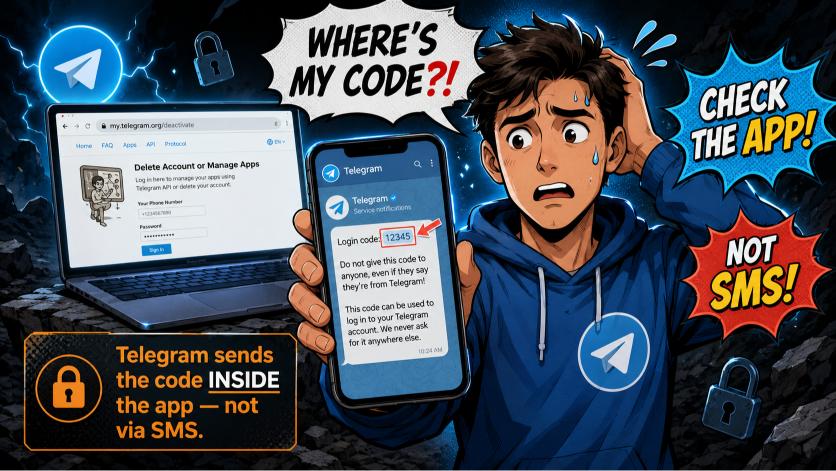
This is the most reported issue. Telegram sends the verification code inside the Telegram app — not via SMS — in most cases. Check the Telegram app on any device where you are still logged in. The code arrives as an official Telegram message.
If you are not logged into Telegram on any active device, Telegram will attempt to send the code via SMS to your registered phone number. If that SMS also does not arrive, check that your phone number has SMS reception and try requesting the code again after a few minutes.
Too Many Attempts Error
If you enter the wrong code multiple times, Telegram will temporarily lock the verification process and show a “Too Many Attempts” error. Wait at least 24 hours before trying again. During this period, do not attempt to re-enter codes as it may extend the lockout.
Cannot Access Old Phone Number
If the phone number linked to your Telegram account is no longer accessible (lost number, changed carrier, disconnected line), you are in a difficult position. Telegram’s deletion page requires phone number access to verify identity.
Your options are limited:
- Contact your carrier to see if you can temporarily restore the old number.
- Use Telegram’s built-in auto-delete inactivity timer (set before losing access). After the set period, Telegram deletes the account automatically.
- If the number was recently ported, check with your new carrier if the old number can still receive SMS temporarily.
Unfortunately, Telegram does not offer an alternative identity verification method for this scenario.
Telegram Delete Page Not Opening
Try these fixes in order:
- Clear your browser cache and cookies, then reload the page.
- Try a different browser — if you are using Chrome, try Firefox or Edge.
- Disable your VPN if you are using one. Some VPN exit nodes are blocked by Telegram’s servers.
- Check your internet connection. Try switching from Wi-Fi to mobile data or vice versa.
- If none of the above works, try accessing the page from a different device entirely.
Important Things to Do Before Deleting Your Telegram Account
Take five minutes to complete these steps before using the delete link. You will save yourself from permanent regret.
Export Telegram Chats and Media
Telegram Desktop (the PC app) lets you export all your chat history and media before deleting. This is the only way to keep a local copy of your conversations.
To export:
- Open Telegram Desktop on your PC or Mac.
- Click the three-line menu in the top-left corner.
- Go to Settings > Advanced > Export Telegram Data.
- Select what you want to export: messages, photos, videos, files.
- Choose a download location and click Export.
This creates a local HTML or JSON archive of your selected chats. You cannot export chats from the mobile app — only from Telegram Desktop.
Transfer Channel or Group Ownership
If you own a Telegram channel or group, transfer admin rights to a trusted member before you delete. After deletion, channels with no remaining admin become permanently inaccessible to everyone.
To transfer ownership of a channel or group:
- Open the channel or group in Telegram.
- Tap the group name at the top to open its profile.
- Go to Administrators.
- Tap on the member you want to transfer ownership to.
- Select Transfer Ownership and confirm with your Telegram password or 2FA code.
Do this for every channel and group you exclusively own before proceeding with account deletion.
Save Important Contacts Outside Telegram
If your only record of certain contacts is inside Telegram, save their information somewhere else before deleting. Your phone’s native contact app, email, or a notes app all work.
Telegram deletes your in-app contact associations when you delete your account. Your phone’s underlying contact book is not affected, but if a contact was only added in Telegram and not saved to your phone’s contacts, that connection is lost.
Telegram Delete Link vs Uninstalling the App
This is one of the most common misunderstandings about Telegram. Uninstalling the app and deleting your account are completely different actions.
| Action | Deletes Account | Removes Messages | Reversible | Data Remains on Telegram Servers |
|---|---|---|---|---|
| Delete via my.telegram.org | Yes | Yes | No | No |
| Uninstall Telegram App | No | No | Yes | Yes |
| Log Out of Telegram | No | No | Yes | Yes |
When you uninstall Telegram, the app is simply removed from your device. Your account stays active, your messages remain on Telegram’s servers, and anyone can still send you messages. You can reinstall and log back in at any time.
Only using the official my.telegram.org/deactivate link actually deletes your account and data from Telegram’s servers.
Alternatives to Using the Telegram Delete Account Link
Not ready to permanently delete? Here are three lighter alternatives that let you take a break without losing everything.
Use Telegram’s Auto-Delete Inactivity Timer
Telegram has a built-in feature that automatically deletes your account after a set period of inactivity. This is useful if you want to walk away from Telegram without manually going through the deletion process.
To set it up:
- Open Telegram on your phone.
- Go to Settings > Privacy and Security.
- Scroll to If Away For under the “Delete My Account” section.
- Choose from: 1 week, 1 month, 6 months, or 1 year.
If you do not log into Telegram within the chosen period, the account will automatically be deleted. This is especially useful if you lose access to your phone number and cannot manually complete the deletion later.
Log Out Without Deleting the Account
If you just need a break from Telegram, logging out is the simplest option. Your account, messages, and groups remain intact.
To log out:
- Go to Settings in the Telegram app.
- Scroll to the bottom and tap Log Out.
You can also remotely log out of all other active sessions by going to Settings > Privacy and Security > Active Sessions and tapping Terminate All Other Sessions.
Disable Notifications Instead
If your main frustration with Telegram is being overwhelmed by notifications, you can mute all notifications without deleting anything.
Go to Settings > Notifications and Sounds and toggle off all notification categories. You can also mute individual chats indefinitely by tapping the chat name and selecting Mute.
This lets you step back from Telegram completely while keeping your account and data intact for when you want to return.
Frequently Asked Questions
How do I access the official Telegram delete account link?
The official Telegram deletion page is my.telegram.org/deactivate. Open it in any browser on your phone or computer, enter your phone number in international format, and follow the steps to verify and confirm deletion. No login or password is required — only your phone number and a one-time code.
Is my.telegram.org safe?
Yes. my.telegram.org is owned and operated directly by Telegram. Always confirm the URL starts with https:// and that the domain is exactly my.telegram.org before entering your phone number. Never use third-party sites claiming to delete your account.
Why is Telegram not sending me the deletion code?
Telegram sends the verification code inside the Telegram app rather than via SMS in most cases. Open the Telegram app on any device where you are currently logged in and check for a message from the official Telegram account containing a 5-digit code. If you are not logged in anywhere, check your SMS inbox.
Can I delete my Telegram account without the app installed?
Yes, you can access my.telegram.org/deactivate from any browser without the app. However, you still need access to an active Telegram session on another device to receive the verification code. If you have no active sessions, Telegram will attempt SMS delivery to your registered number.
Does uninstalling Telegram delete my account?
No. Removing the app from your device only deletes the app. Your account, messages, and data remain fully active on Telegram’s servers. You must use my.telegram.org/deactivate to actually delete the account.
Can I recover my account after using the delete link?
No. Telegram account deletion is permanent and irreversible. Telegram’s support team cannot recover deleted accounts. You can create a new account with the same phone number, but it will have no history or connections from the previous account.
What happens to my Telegram channels after I delete my account?
Channels and groups where you were the sole admin will become permanently inaccessible to all members after your account is deleted. Transfer ownership to another admin before deleting to keep your community active.
Conclusion
Deleting your Telegram account is straightforward once you know the right place to do it. The official link — my.telegram.org/deactivate — is the only safe and legitimate way to permanently remove your account. It takes less than five minutes from start to finish.
Before you go, make sure you have exported any chats you want to keep using Telegram Desktop, transferred ownership of any channels or groups you run, and saved important contact information outside the app. Once you confirm deletion, there is no going back.
If you are not fully ready to delete, Telegram’s inactivity auto-delete timer and the simple log-out option give you a way to step back without committing permanently.
Next step: If you are experiencing issues with the confirmation code or the delete page itself, read our full guide on common Telegram deletion problems and fixes.
DeleteAccount.com is not affiliated with Telegram. This guide is for informational purposes only. Steps may vary slightly depending on your app version.

Alex Mu is a digital technology writer focused on Telegram, account management, online privacy, and app troubleshooting. Through clear, practical guides, Alex helps readers understand digital platforms, manage their accounts, and resolve common technical issues. His work emphasizes accurate information, simple explanations, and step-by-step solutions that readers can follow with confidence.


Vaqtimni tejash uchun