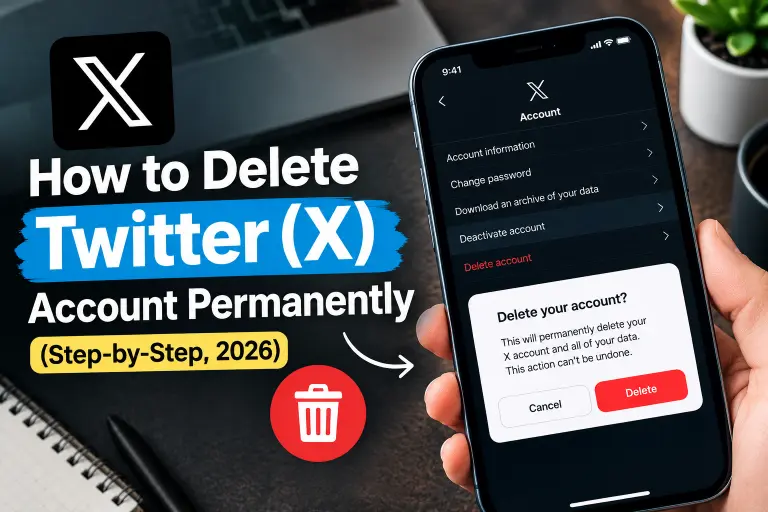
Quick Answer (TL;DR)
To delete your Twitter account, which is now called X, open Settings and privacy → Your account → Deactivate your account. Tap Deactivate, enter your password, and confirm. X hides your profile right away and deletes the account for good after 30 days. However, if you log in during those 30 days, the account comes back.
The 5 steps in short:
- First, log in to X on the app or on x.com.
- Next, open Settings and privacy.
- Then tap Your account, and choose Deactivate your account.
- After that, tap Deactivate, and enter your password.
- Finally, stay logged out for 30 days.
Important: X has no instant “Delete” button. Deactivation is the first step, and the 30-day wait finishes the job.
Key Facts About Deleting Twitter (X)
| Question | Answer |
|---|---|
| Where is the option? | Settings and privacy → Your account → Deactivate your account |
| Works on | X app for iPhone and Android, plus x.com on desktop |
| Is it instant? | No. X hides your profile now, but deletion takes 30 days |
| Can I skip the 30 days? | No. The waiting period is fixed |
| Can I undo it? | Yes, within 30 days, if you log back in and tap Yes, reactivate |
| Can I undo it after 30 days? | No. X deletes the account permanently |
| Password required? | Yes |
| Does my username become free? | Yes. After deletion, other people can register it |
| Do old posts vanish from Google? | Not right away. Search engines cache pages on their own schedule |
| Easier alternative | Change your username, make your posts private, or take a break |
How Do I Delete My Twitter Account on iPhone or Android?
The steps stay the same on both phones.
- First, open the X app and tap your profile picture at the top left.
- Next, tap Settings and support, and then tap Settings and privacy.
- Then tap Your account.
- After that, tap Deactivate your account.
- Read the information on the screen, and tap Deactivate.
- Now enter your password when X asks.
- Finally, tap Deactivate once more to confirm.
As soon as you confirm, X logs you out and hides your username and public profile. Your 30-day countdown starts at that moment.
Menu looks different? X changes its menu labels from time to time. If you can’t find Settings and support, look for a Settings and privacy link in the side menu instead. Either way, the final path stays the same: Your account, then Deactivate your account.
How Do I Delete My Twitter Account on a Computer?
You can deactivate your account from any browser.
- First, go to x.com and log in.
- Next, click More in the left-hand menu.
- Then choose Settings and privacy.
- After that, click Your account.
- Now click Deactivate your account.
- Read the details, and click Deactivate.
- Finally, enter your password and confirm.
If a button does nothing, refresh the page or try another browser. Alternatively, use the phone app, because it often works when the website stalls.
Can I Delete My Twitter Account Without a Password?
No. X asks for your password at the last step, so you need to know it or reset it first.
How to reset it:
- First, tap Forgot password? on the login screen.
- Next, enter your email, phone number, or username.
- Then open the reset link or enter the code that X sends you.
- After that, create a new password and log in.
- Finally, follow the deactivation steps above.
Can’t reach your email or phone either? In that case, the reset won’t work. Instead, open the X Help Center and use the account access form. Support may ask you to prove the account is yours before they help.
Can I Delete My Twitter Account Without Logging In?
No, not on your own. X only starts the deletion process when you log in and deactivate the account. So if you’re locked out, reset your password first, or contact X support through the Help Center.
What about a suspended account? Suspended accounts can’t reach the deactivate button. If yours is suspended, file an appeal or contact X support and explain that you want the account closed. Expect a slow reply, because support queues can take days.
What Should I Do Before Deleting My Twitter Account?
Run through this checklist first, because you can’t go back after 30 days.
Pre-deletion checklist
- ☐ First, download your archive. Go to Settings and privacy → Your account → Download an archive of your data, and request it. X emails you a link when the file is ready.
- ☐ Next, save posts, photos, or videos you can’t replace.
- ☐ Also, delete old posts you don’t want cached anywhere. You can remove them one by one, or use a bulk-delete tool.
- ☐ Then cancel X Premium, and check the App Store, Google Play, or your card statement so billing stops too.
- ☐ Likewise, revoke third-party apps. Go to Settings and privacy → Security and account access → Apps and sessions → Connected apps, and remove each one.
- ☐ In addition, switch any “Sign in with X” logins to another method.
- ☐ Finally, let followers know where to find you, since your handle will disappear.
Why revoke connected apps? A single login through a linked app counts as activity. It can reactivate your account and restart the 30-day clock without you noticing.
What Happens After I Delete My Twitter Account?
Here is the timeline.
| When | What happens |
|---|---|
| Day 0 | You deactivate, and X hides your profile, posts, and username from public view |
| Days 1–30 | Grace period. If you log in, X offers to reactivate the account |
| Day 30 | X deletes the account permanently, and you can’t reverse it |
| After Day 30 | Other people can register your old username |
What X removes
- Your profile, handle, and bio
- Posts, replies, and likes
- Followers and following lists
- Direct messages on your side
What stays
- Mentions of your username in other people’s posts. They stay as plain text, but they no longer link to a profile.
- Cached copies on Google, Bing, and other search engines, which X doesn’t control.
- Screenshots and reposts that other people saved.
Want the old results gone from Google faster? Use Google’s content removal tool once your account is gone. Otherwise, the cached pages fade on their own over time.
Should I Deactivate or Delete My Twitter Account?
On X, the two go together, because deactivation starts the deletion. So the real question is whether you want to leave for good or take a break.
| Take a break | Delete for good | |
|---|---|---|
| What you do | Log out, mute notifications, or deactivate and log back in | Deactivate and stay logged out for 30 days |
| Reversible? | Yes, anytime | Only within 30 days |
| Username safe? | Yes | Others can claim it later |
| Data kept? | Yes | X removes it after 30 days |
| Best for | Digital detox | Leaving X permanently |
Not sure yet? Try a lighter step first. Change your username or email in Account information, switch your posts to protected, or turn off notifications for a week. You don’t have to delete anything to change those settings.
What Mistakes Should I Avoid When Deleting Twitter?
- Logging in during the 30 days. Even one login reactivates the account and resets your countdown.
- Leaving third-party apps connected. A linked app can sign in for you and undo the deletion.
- Skipping the archive. After 30 days, your posts and photos disappear for good.
- Forgetting X Premium. Deactivating doesn’t always stop billing, so cancel it in the store where you bought it.
- Expecting Google to update instantly. Search results can linger for weeks.
- Deleting the wrong account. If you run several, check the username before you confirm.
- Assuming the handle stays yours. After the 30 days, anyone can register it.
Why Can’t I Delete My Twitter Account? (Troubleshooting)
| Problem | Fix |
|---|---|
| Can’t find “Deactivate your account” | Open Settings and privacy → Your account, and scroll down. Update the app if it still doesn’t show |
| Password doesn’t work | Reset it with Forgot password? |
| No reset email or code arrives | Check spam, confirm the address or number, wait a few minutes, and try again |
| The button does nothing on desktop | Refresh, try another browser, or use the mobile app |
| Account is suspended | File an appeal or contact X support to request closure |
| Account came back to life | You or a connected app logged in during the 30 days. Revoke apps, and deactivate again |
| Account is locked | Complete the unlock steps X shows you, and then deactivate |
| Old posts still show on Google | Wait for the cache to refresh, or use Google’s content removal tool |
Are There Alternatives to Deleting Twitter?
If you want less X but aren’t ready to quit, try these options instead:
- Log out and stay away for a week.
- Switch your account to protected, so only approved followers see your posts.
- Mute words, accounts, and notifications that drain you.
- Clean out old posts, but keep the account.
- Change your username or display name for a fresh start.
- Remove the app from your phone and use x.com only when you need it.
Frequently Asked Questions
How do I delete my Twitter account permanently?
Go to Settings and privacy → Your account → Deactivate your account, tap Deactivate, and enter your password. If you don’t log in for 30 days, X deletes the account permanently.
How long does it take to delete a Twitter account?
It takes 30 days. X hides your profile immediately, and then it deletes everything when the grace period ends.
Can I delete my Twitter account immediately?
No. The 30-day waiting period is fixed, and you can’t shorten it. However, X hides your profile from the moment you deactivate.
How do I delete my Twitter account on my phone?
Open the X app, tap your profile picture, go to Settings and support → Settings and privacy → Your account, and tap Deactivate your account. Then confirm with your password.
How do I delete my Twitter account on a computer?
Log in at x.com, click More, and open Settings and privacy. Then choose Your account, click Deactivate your account, and confirm.
Can I delete my Twitter account without a password?
Not directly. Reset your password first through Forgot password. If you can’t reach your email or phone, contact X support to regain access.
Can I recover my Twitter account after deleting it?
Yes, but only within the 30 days. Log in and tap Yes, reactivate. After 30 days, nobody can recover the account.
Does deleting Twitter delete my tweets?
Yes. X removes your posts when the 30 days end. However, cached copies may stay on search engines for a while, and other people may keep screenshots.
Will my username become available after I delete my account?
Yes. Once X deletes your account, other people can register your old username.
Is Twitter the same as X?
Yes. X is Twitter’s new name, and the account settings work the same way. The deletion steps in this guide apply to both.
Does deleting my account cancel X Premium?
Don’t count on it. Cancel your subscription in the App Store, Google Play, or on x.com before you deactivate.
Can I delete a suspended Twitter account?
You can’t use the deactivate button while the account is suspended. Instead, file an appeal or contact X support, and ask them to close it.
Can I delete my old Twitter account if I forgot the email?
Try logging in with your username or phone number, and reset the password from there. If nothing works, contact X support through the Help Center and describe the account.
Ready to Leave X? Your Next Steps
- First, download your archive and save anything you care about.
- Next, cancel X Premium and revoke connected apps.
- Then follow the Settings and privacy steps above.
- Finally, stay logged out for 30 days.
Leaving other platforms too? See our guides on deleting your Instagram account and deleting your TikTok account, or browse more step-by-step account deletion guides.
Official help: X Help Center: How to deactivate your X account

Alex Mu is a digital technology writer focused on Telegram, account management, online privacy, and app troubleshooting. Through clear, practical guides, Alex helps readers understand digital platforms, manage their accounts, and resolve common technical issues. His work emphasizes accurate information, simple explanations, and step-by-step solutions that readers can follow with confidence.


