Last Updated: July 2026
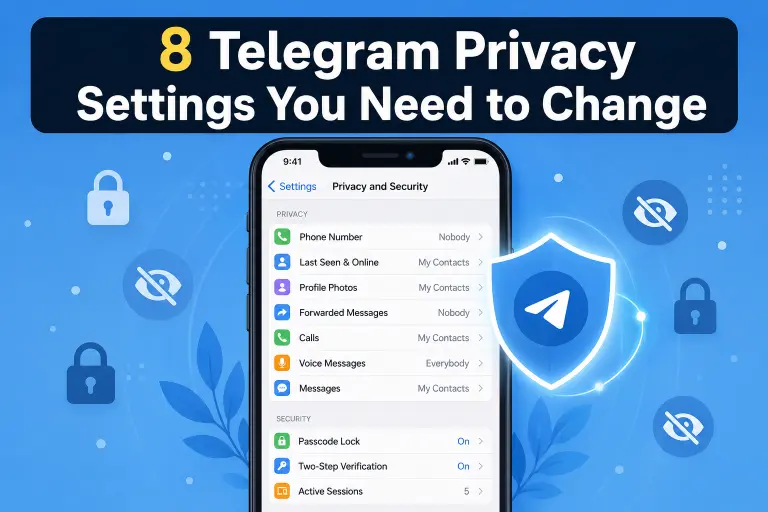
Quick Answer: Telegram’s default settings leave your phone number, last seen status, and profile photo visible to strangers. Go to Settings → Privacy and Security and lock down at least seven settings — phone number visibility, last seen, group invites, calls, forwarded message tags, two-step verification, and Secret Chats — to close the biggest privacy gaps most users never touch.
Key Facts
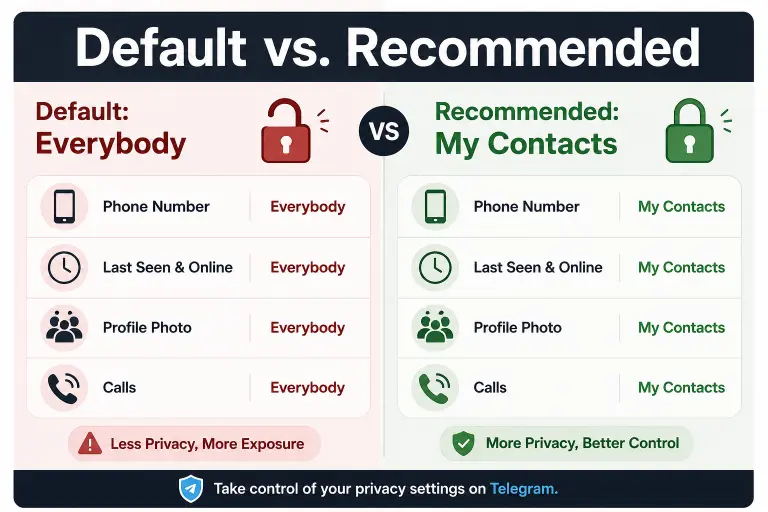
- Telegram’s default privacy settings favor visibility over protection — most controls default to “Everybody”
- Your phone number can be visible to any user unless you change it manually
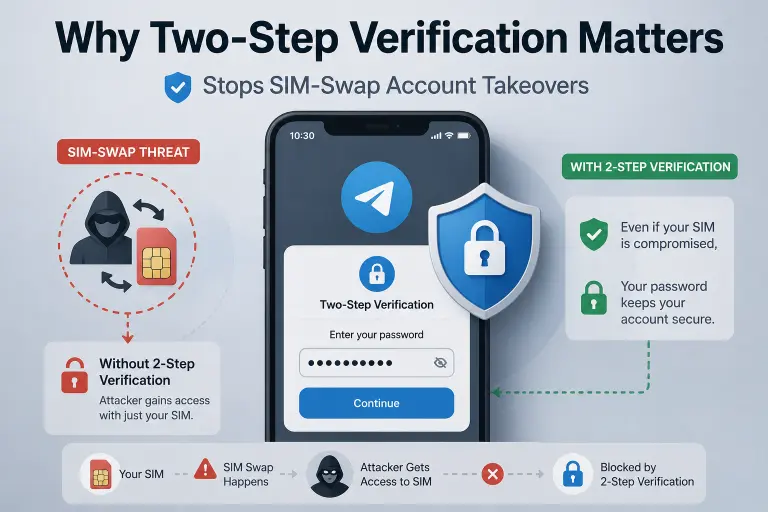
- Two-step verification is off by default, leaving your account vulnerable if your SIM is compromised
- Forwarded messages carry your name and profile link unless you disable this in privacy settings
- Regular cloud chats are not end-to-end encrypted — only Secret Chats offer that protection
Most people install Telegram, skip the settings menu entirely, and start chatting. That’s the problem. Telegram ships with several privacy controls set to their most open position, which means strangers can see more about you than you’d probably want. This guide walks through every setting worth changing in 2026, why it matters, and exactly where to find it.
What Are Telegram Privacy Settings?
Telegram privacy settings are the controls under Settings → Privacy and Security that decide who can see your phone number, profile photo, last seen status, and who can contact or add you to groups. Unlike apps such as Signal that lock down privacy by default, Telegram leaves most of this configuration up to you. That flexibility is powerful, but it also means your account is only as private as the settings you actually change.
1. Hide Your Phone Number
By default, your number may be visible to more people than you realize, especially if you’ve added contacts who then share your details in group chats.
How to fix it:
- Open Settings
- Tap Privacy and Security
- Tap Phone Number
- Set both “Who can see my phone number” and “Who can find me by my number” to My Contacts or Nobody
If you need a deeper walkthrough with screenshots for each platform, our phone number privacy guide covers every edge case, including what happens if you’re in shared groups.
⚠️ Warning: Setting phone number visibility to “Nobody” can make it harder for real-life contacts to find you on Telegram unless they already have your number saved with the matching name.
2. Turn Off Last Seen & Online Status
Your “last seen” timestamp tells anyone who can see it exactly when you were last active — information that’s frequently used in phishing and social engineering to guess your availability.
How to fix it:
- Go to Settings → Privacy and Security
- Tap Last Seen & Online
- Choose My Contacts or Nobody
One thing to know: if you hide your last seen entirely, you also stop seeing other people’s last seen status. Telegram applies this rule both ways.
3. Control Who Can Add You to Groups
Random group invites are one of the most common Telegram spam vectors. Strangers can add you to promotional or scam groups without asking if this setting is left open.
How to fix it:
- Go to Settings → Privacy and Security
- Tap Groups & Channels
- Set “Who can add me to group chats” to My Contacts
4. Restrict Who Can Call You
Voice and video calls on Telegram default to allowing anyone to reach you, which opens the door to spam calls and, in rarer cases, IP address exposure through call metadata.
How to fix it:
- Go to Settings → Privacy and Security
- Tap Calls
- Set both “Who can call me” and “Peer-to-peer” to My Contacts
Setting peer-to-peer calls to “My Contacts” or “Nobody” also reduces the risk of your IP address being exposed during a call, since calls will route through Telegram’s servers instead of connecting directly.
5. Turn Off Forwarded Message Links
When someone forwards your message, Telegram attaches a link back to your account by default. This is one of the most overlooked privacy leaks on the platform.
How to fix it:
- Go to Settings → Privacy and Security
- Tap Forwarded Messages
- Set “Link to your account” to My Contacts or Nobody
6. Enable Two-Step Verification
Two-step verification adds a password on top of your SMS login code, which matters because SIM-swapping attacks can otherwise let someone take over your account with just your phone number.
How to fix it:
- Go to Settings → Privacy and Security
- Tap Two-Step Verification
- Tap Set Password
- Add a recovery email in case you forget your password
⚠️ Warning: If you lose both your password and recovery email access, Telegram cannot restore your account. Store your password in a password manager rather than relying on memory.
7. Use Secret Chats for Sensitive Conversations
Regular Telegram chats are stored on Telegram’s servers and are not end-to-end encrypted the way Secret Chats are. If a conversation is genuinely sensitive, Secret Chats are the safer choice.
How to fix it:
- Open a conversation with the contact
- Tap their name at the top
- Tap Start Secret Chat
- Set a self-destruct timer if you want messages to auto-delete
8. Disable People Nearby
The “People Nearby” feature can expose your approximate location to strangers browsing for local users. Most people never intended to enable this and should turn it off.
How to fix it:
- Go to Settings → Privacy and Security
- Scroll to People Nearby
- Tap Stop Showing Me
Privacy Settings Comparison Table
| Setting | Default | Recommended | Risk If Left Default |
|---|---|---|---|
| Phone Number | Everybody | My Contacts / Nobody | Number exposed to strangers |
| Last Seen & Online | Everybody | My Contacts | Activity pattern tracking |
| Group Invites | Everybody | My Contacts | Spam and scam group adds |
| Calls | Everybody | My Contacts | Spam calls, IP exposure |
| Forwarded Messages | Everybody | My Contacts / Nobody | Account link leaks on forwards |
| Two-Step Verification | Off | On | SIM-swap account takeover |
| People Nearby | On | Off | Approximate location exposure |
Common Mistakes to Avoid
Don’t set every privacy option to “Nobody” without thinking it through — some settings, like phone number visibility, can make it harder for legitimate contacts to find you if their saved name doesn’t match yours. Don’t skip two-step verification just because it adds a login step; it’s the single biggest protection against account takeover. And don’t assume Secret Chats are your default — regular chats stay in your normal chat list and are not end-to-end encrypted.
What Happens After You Change These Settings
Once updated, these settings apply immediately across all your devices. Existing group memberships and chat history are not affected — you’re only changing who can see your information and contact you going forward. If you’re also considering a more permanent step, our guide on what happens when you delete your Telegram account covers what changing privacy settings can’t undo.
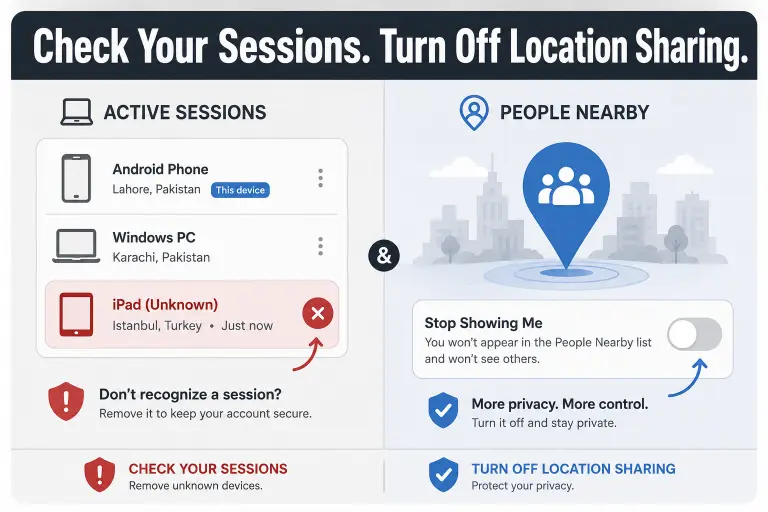
If you’d rather check your account for existing exposure first, our active sessions guide shows you how to see every device currently logged into your account and remove any you don’t recognize — a useful first step before locking down privacy settings.
FAQ
Do Telegram privacy settings apply retroactively to old messages?
No. Privacy settings only control future visibility and access. Messages already sent or forwarded before you changed a setting are not affected retroactively.
Will changing my last seen setting affect group chats?
No. Your last seen and online status settings only control your personal profile visibility. Inside group chats, members can still see when you’re active in that specific conversation in real time.
Does two-step verification replace my SMS login code?
No. Two-step verification adds a password on top of your SMS code rather than replacing it. You’ll need both your phone to receive the code and your password to log in.
Can I still be found by username if I hide my phone number?
Yes. Hiding your phone number does not affect your username. If your username is public, people can still find and message you through it even with a hidden number.
Are Secret Chats available on all devices at once?
No. Secret Chats are tied to the specific device they were started on and do not sync across your other devices, unlike regular cloud chats.
What happens if I forget my two-step verification password?
If you’ve added a recovery email, Telegram can send a reset link there. Without a recovery email, there’s no way to reset a forgotten two-step verification password.
Do these privacy settings protect me from Telegram itself?
No. These settings control what other users can see, not what Telegram’s servers store. Regular cloud chats remain on Telegram’s servers and are not end-to-end encrypted.
DeleteAccountGuide.com is not affiliated with Telegram. This guide is for informational purposes only. Steps may vary slightly depending on your app version.

Alex Mu is a digital technology writer focused on Telegram, account management, online privacy, and app troubleshooting. Through clear, practical guides, Alex helps readers understand digital platforms, manage their accounts, and resolve common technical issues. His work emphasizes accurate information, simple explanations, and step-by-step solutions that readers can follow with confidence.


